For U.S. Roblox players · October 29, 2026 · By Shivam Das
Quick answer: Before The Hollow’s October 31 live finale, claim completed quest rewards, finish the UGC objectives you still want, verify Ticket-shop purchases in your inventory, and record important progress. Roblox confirms the finale begins on the morning of October 31, but has not announced an exact start time. Rewards remain collectible until noon Pacific Time on November 2, 2026, so the finale and the final claim deadline are separate.
The last stretch of a limited-time event is when small oversights become costly: an objective may be complete but unclaimed, a cosmetic may still be sitting in a shop menu, or an item may not have appeared in inventory. Use this checklist to secure what you have earned without chasing unverified leaks or spending Tickets in a rush.
What Roblox has confirmed
Roblox’s October 21 newsroom announcement describes The Hollow as a nine-monster, nine-night survival event with daily mazes, clues, quests and exclusive UGC rewards. It confirms a live finale for all players on the morning of October 31 and says rewards can still be collected until noon PST on November 2. It does not publish an exact finale start time, a complete item-by-item checklist or a universal Ticket-price list.
That distinction matters: use the official dates as confirmed facts, but use the live event hub for your account’s quest requirements, item eligibility, Ticket balance and claim status. An unofficial countdown, leaked reward graphic or old screenshot is not proof that a reward is available to every player.
Roblox’s official The Hollow announcement · The official The Hollow experience by Roblox Presents.
Eight things to lock in before the finale
1. Claim every completed quest reward
Open the event’s quest or reward interface and inspect every completed objective. Look for a separate Claim action: a full progress bar does not always mean the item has been added to your account. Claim it, wait for the confirmation, then reopen the reward panel once to make sure the completed state persists.
- Review completed quests inside The Hollow.
- Check any participating experience objective you started.
- Look for a reward notice or claim confirmation.
- Reopen the panel before leaving the hub.
2. Finish the UGC rewards you genuinely want
Roblox confirms that quests award exclusive UGC, but its newsroom post does not list every requirement. Make a short list of the items you still want, then read the live quest text for each one. Prioritize objectives you can realistically finish. Do not spend the final hours chasing an unverified rumor about a hidden item.
For rewards tied to participating games, verify that you are in the correct experience and that the event tracker recognizes the required action. A badge, a quest completion and an avatar item are related but not interchangeable. Confirm the wearable item itself appears in your Roblox inventory.
3. Secure the Ticket-shop cosmetics you have chosen
If you plan to spend event Tickets, choose the cosmetic you actually want before buying. Open the Little Shop of Terror, check the exact item name and price displayed in your session, and confirm that it is not already owned. Third-party price guides can provide context, but Roblox has not published a complete official Ticket-price table. The live shop is the final authority for your account.
Do not spend simply because the finale is close. If an item is not visible, do not assume it will appear later or that a rumored price is correct. Keep your remaining balance for a higher-priority item if you are still comparing the available options.
4. Check utility tools and survival equipment
Tools such as a Flashlight, Night Vision Goggles, Radar Detector or Invisibility Cloak may help depending on the floor and your play style. Check what you already own, whether it is equipped and whether the current maze calls for it. Buying a tool you will not use is wasteful; forgetting to equip one you already own is avoidable.
5. Verify the current floor and monster in the live hub
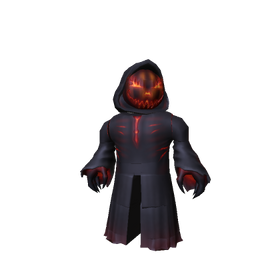
Roblox’s main newsroom announcement lists the nine monsters but does not publish a complete day-by-day timetable. The official experience and its live elevator should take priority over third-party schedules. Roblox publicly identified The Overseer from WARDEN in its October 29 update; check the hub again before planning a final run because the event can move on.
6. Check your avatar inventory—not just the event screen
After claiming an accessory, open Roblox Avatar or Inventory and search for its exact name. Confirm it is present and, if you plan to wear it, test it on your avatar. If it does not appear immediately, refresh the inventory and recheck the event’s claim status before repeating an objective. Do not assume a badge automatically means a wearable item has been granted.
7. Save proof of important progress
When practical, take screenshots of the completed quest state, claim confirmation and the item in your inventory. Keep them for your own reference; do not post account details or private information. A simple record can help distinguish an unclaimed reward from a delayed inventory display.
8. Keep Roblox Plus perks separate from standard rewards
Roblox says active Roblox Plus subscribers receive early hub access and additional benefits, including an exclusive profile frame and background and an item launcher for gifting during the event. These are subscription-linked perks. Do not assume a Plus-only benefit is part of the standard quest path, and do not buy a subscription solely because an unofficial post says it is required for the finale. Roblox describes the live finale as being for all players.
Finale day is not the reward deadline
| Date | Confirmed milestone | What to do |
|---|---|---|
| October 31, 2026 | Live finale begins in the morning; exact start time not announced. | Check the official event hub and join when it opens. |
| November 1, 2026 | Reward collection window remains open. | Review incomplete claims and inventory. |
| November 2, 2026 | Reward collection closes at noon Pacific Time. | Claim remaining eligible rewards before the cutoff. |
For U.S. readers, note that Roblox states the deadline as noon PST. If you are outside the United States, convert the cutoff carefully and check the date shown in the event interface. Do not confuse the October 31 live finale with the separate November 2 reward deadline.
A practical 10-minute pre-finale checklist
- Open the official Roblox Presents event hub—not a similarly named copy.
- Review the quest tracker and list the rewards still incomplete.
- Claim completed rewards and wait for confirmation.
- Check your Ticket balance and the current shop price before buying.
- Equip the utility tools you already own and plan to use.
- Search your Roblox inventory for newly claimed accessories.
- Save screenshots of important confirmations.
- Put November 2 at noon PST on your calendar as the final claim cutoff.
If an item appears to be missing
Return to the event reward panel and confirm whether the objective is complete and claimed. Refresh Roblox inventory, search the exact item name, and check whether the item belongs to the event hub or a participating experience. If it still appears missing, capture the relevant screen and contact Roblox Support through official help channels. Avoid third-party reward-recovery sites, code generators or anyone asking for your password or browser cookie.
For related coverage, read our guides to items worth saving Tickets for before the finale, checks for missing The Hollow rewards, and what to re-check after a server hop.
Frequently asked questions
When is the Roblox The Hollow live finale?
Roblox says it begins on the morning of October 31, 2026. The official announcement does not give an exact clock time or time zone, so check the live event hub.
Do The Hollow rewards disappear when the finale ends?
No. Roblox says players can continue collecting rewards until noon Pacific Time on November 2, 2026. The finale and the reward-collection cutoff are separate.
What should I claim before the finale?
Prioritize completed quest rewards, UGC items you still want and any current Ticket-shop cosmetic you have decided to buy. Verify each claim in your Roblox inventory.
Do I need Roblox Plus to join the finale?
Roblox describes the live finale as being for all players. Plus subscribers receive separate early-access and account perks; the official announcement does not say Plus is required to attend.
Are all item prices and quest requirements officially confirmed?
No. Roblox confirms the event structure, quest rewards, finale date and reward cutoff, but does not publish a complete item-price sheet or every quest requirement. Check the current in-game shop and quest panel.
What is the safest way to avoid missing a reward?
Claim completed objectives, wait for confirmation, refresh your inventory and make a final pass before November 2 at noon PST. Use only the official Roblox event experience and Roblox Support.
Sources and reporting notes
- Roblox Newsroom: The Hollow Halloween survival event — primary source for event format, finale date, Plus benefits and reward deadline.
- The Hollow on Roblox, by Roblox Presents — official experience entry and current in-game verification point.
- The Hollow schedule tracker — secondary reference; unconfirmed details should not override Roblox.
Editorial note: This guide separates Roblox-confirmed event facts from account-specific checks and third-party reporting. The live experience is the final authority for current quest status, shop prices, eligibility and item claims. Updated October 29, 2026.