

Updated October 26, 2026 · U.S. players · By Shivam Das
Quick answer: If you are entering The Hollow to face Hiachi, do not treat solving the puzzle as the finish line. The event’s core loop is to search the maze, solve the objective, secure the relic, and make it back safely. Before leaving a floor, check the live objective and confirm that the relic or quest progress has registered. Roblox confirms the event’s maze-and-monster format, but it has not published a full official floor-by-floor schedule or a universal Hiachi-specific route, so use the live hub as your final source of truth.
Reports and event trackers indicate that new floor content and rewards are being added as The Hollow progresses. The exact Hiachi timing and item requirements can differ across third-party guides, however. This guide focuses on the mistake players can control right now: rushing away from the objective without confirming the required pickup, return, or completion state.

What is confirmed about The Hollow and Hiachi?
Roblox’s official October 21 announcement describes The Hollow as a shared Halloween survival event featuring nine horror-game characters across nine days. Players navigate a maze, search for clues, evade the monster, and earn exclusive avatar items by completing quests. The announcement names Hiachi from The Mimic among the featured characters, but it does not give a complete date-by-date monster order or publish a detailed Hiachi floor walkthrough.
That distinction matters. A creator livestream, a badge appearing in public data, or a fan-made calendar can be a useful clue, but none automatically proves the exact time a floor opened or every step needed to claim a reward. Check the official Roblox event experience and Roblox’s official event announcement before trusting a precise reset time or item requirement.

The biggest relic mistake: stopping when the puzzle looks solved
In a survival maze, opening a route or completing a puzzle may only be one part of the objective. Players can lose time by assuming the run is complete before the game confirms the required item has been collected and the exit condition has been met. The safest rule is simple: read the objective text, interact with the required object, then verify the quest state before moving on.
- Read the full objective first. Look for wording about finding clues, solving a puzzle, collecting a relic, or returning to the elevator. Do not rely on a screenshot from another run.
- Confirm the pickup. After interacting with the relic or objective item, check whether the item is visibly carried, the prompt changes, or the quest tracker updates.
- Plan the exit before you commit. Remember the route back to the elevator or marked exit while exploring. Do not spend the final stretch looking for a route you passed earlier.
- Watch for chase cues. If Hiachi appears or the game signals danger, prioritize movement and a clear route over optional exploration.
- Wait for completion feedback. Do not assume a reward has been claimed until the game displays completion, updates the objective, or shows the reward in the appropriate place.
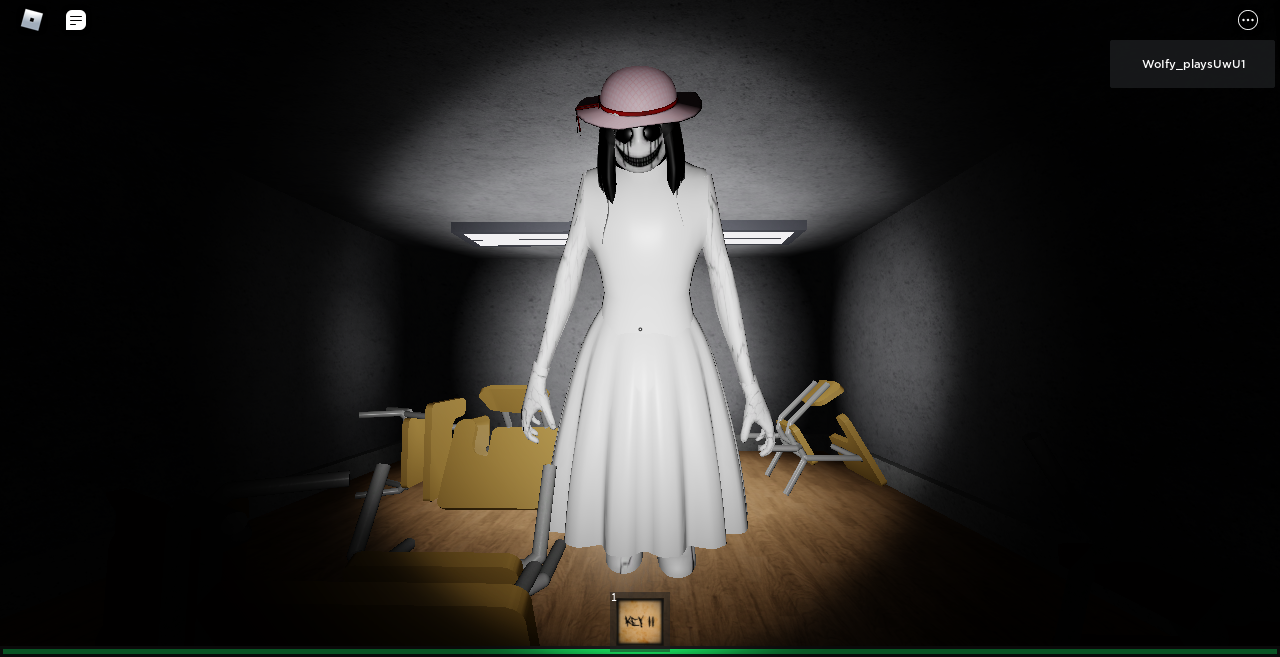
A practical route checklist for solo and mobile players
This is a risk-reduction checklist, not a claim that every Hiachi run uses an identical map. The Hollow’s current in-game objective should take priority over any generic route.
- At spawn: Read the objective and note any named room, symbol, or item.
- During exploration: Use landmarks such as doors, distinctive rooms, signs, or turns to help retrace your path.
- At the puzzle: Check every instruction and confirm the game has accepted your solution before leaving the area.
- At the relic: Interact with it and verify the pickup or objective change.
- On the way out: Avoid optional detours unless the live objective specifically requires them.
- After the run: Check the event hub, quest panel, or inventory for confirmation before repeating the floor.
For mobile players, keep the camera sensitivity comfortable and avoid turning so sharply that you lose the exit direction. If the screen becomes crowded during a chase, stop opening menus and focus on navigation. For solo players, a short mental map is often more useful than following a teammate’s route from a different server.

Do not confuse old The Mimic guides with The Hollow instructions
Hiachi originates from The Mimic, but The Hollow is a separate event experience. Old chapter walkthroughs may help you recognize the character or understand the horror-game style, yet they cannot establish the current event’s room layout, puzzle answer, relic name, or chase behavior. Follow the objective currently displayed inside The Hollow rather than copying steps from a different chapter or an earlier Halloween event.
For background on Hiachi’s character, the community-maintained Hiachi reference page and gallery can help identify the character, but they are not official instructions for the 2026 event.

Watch a Hiachi model reference
The video below compares Hiachi models from different Roblox experiences. Use it for character context only; it does not prove a live The Hollow route or reward requirement.
When can you claim the reward?
Roblox says The Hollow rewards are earned by completing quests, and its announcement says players can continue collecting rewards until noon Pacific Time on November 2, 2026. That overall deadline does not guarantee that every item has identical conditions or that an unfinished run will count. Verify the current quest, finish all required steps, and check for confirmation before leaving the hub.
If you see a post claiming a secret shortcut, guaranteed free item, or instant reward, compare it with the live game instructions. Never enter your Roblox password on an outside site or download a tool to unlock an event reward.
Frequently asked questions
Is Hiachi officially part of Roblox The Hollow?
Yes. Roblox’s official announcement names Hiachi from The Mimic among the event’s nine featured monsters. The announcement does not provide a complete official day-by-day floor schedule.
What is the biggest mistake that can cost players a relic?
Assuming a puzzle is the final step. Read the active objective, confirm the relic pickup, follow the required return route, and wait for the game to register completion.
Is this a verified, exact Hiachi floor walkthrough?
No. This is a practical checklist based on the event’s confirmed maze-and-quest format. The precise room layout, puzzle solution, and item conditions must be verified in the live game.
Does watching a creator livestream automatically award the relic?
Do not assume that it does. Roblox describes quest-based rewards; a livestream listing alone is not proof that watching grants a relic, Tickets, or UGC.
When does Roblox The Hollow stop allowing reward collection?
Roblox’s announcement says players can continue collecting rewards until noon Pacific Time on November 2, 2026. Check the live event hub for item-specific requirements and any updates.
Bottom line
The fastest way to avoid losing progress on a Hiachi run is to treat the relic as part of a complete objective—not as permission to stop paying attention. Read the current quest, confirm the pickup, keep your exit route in mind, and wait for the game to register the clear. Because the official event announcement does not spell out every floor-specific detail, use the live hub for the final word on timing and reward requirements.
For more event coverage, visit our Roblox news and guides section and our solo Hollow route guide.
Roblox’s official announcement explains The Hollow’s nine-night survival format and quest-based rewards.
— Roblox October 21, 2026







