

Updated October 27, 2026 · By Shivam Das
Roblox code trackers can look current while still disagreeing about what actually works. This morning’s key takeaway is simple: a “new” label on a third-party list is not the same as a code confirmed by Roblox or by the developer of a specific experience. If you are checking Roblox promo codes today, verify the redemption method and source before spending time on an expired token—or trusting a site that promises free Robux.
Quick answer: Roblox’s own support page says promotional codes may expire or only remain active briefly. We could not verify a fresh, platform-wide code announcement from an official Roblox source for October 27. Treat tracker-only claims as unconfirmed, test codes only on Roblox’s official redemption page or inside the named experience, and never give your password to a code site.
Table of Contents
- What we verified today
- Why code trackers disagree
- How to check a code safely
- Platform codes vs. game-specific codes
- What redemption errors mean
- How to avoid fake code claims
- Frequently asked questions
What We Verified Today
For this update, we compared Roblox’s own help guidance with current third-party code roundups and tracker pages. Roblox’s support instructions are the strongest source for the redemption process: sign in to the account that should receive the reward, open the official code page, enter the code, and select Redeem. Roblox also warns that codes can expire or be available for only a short time. Read Roblox Support’s promo-code instructions.
Third-party lists are not fully aligned. Some recent roundups report one or more familiar avatar codes, while other pages say older codes have expired or cannot be confirmed. That disagreement is exactly why we are not presenting every circulating token as “working today.” A list can be useful for discovery, but it should not replace a live redemption check.
For the general Roblox promo-code system, we did not find an official Roblox announcement confirming a newly released platform-wide code dated October 27, 2026. This is a verification finding, not proof that no individual Roblox experience has released its own code. Experience developers can publish codes independently.
Why Roblox Code Trackers Disagree
Trackers can update at different times, rely on different evidence, or mix platform-wide promotions with codes that only work in one game. A tracker may mark a code “new” after discovering it on a social post; another may wait until a second source agrees; a third may leave old codes in an article long after a promotion has ended.
- Different update schedules: one page may be refreshed automatically while another is reviewed manually.
- Different code types: a code for one experience may be incorrectly copied into a general Roblox promo-code list.
- Expired promotions: old codes remain visible in search results even after redemption stops working.
- Unclear evidence: “working” can mean a site has listed the code—not that an editor has redeemed it successfully today.
- Regional or account limits: a promotion can have conditions, and a code already claimed on an account may not work a second time.
Our standard is to label a code as verified only when the evidence supports that label. If a tracker reports a code but we cannot confirm it through an official source or a successful current redemption, it belongs in an unconfirmed bucket—not in a guaranteed-working list.
How to Check a Roblox Code Safely
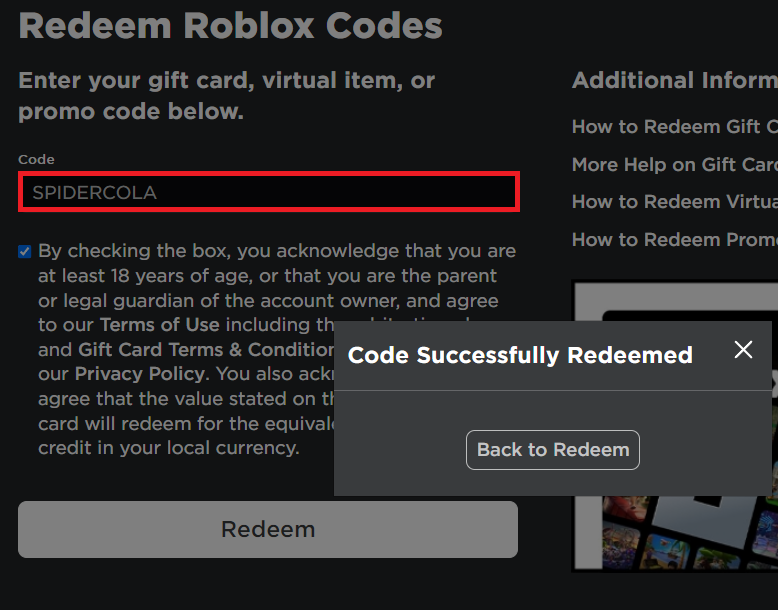
- Open the official Roblox code redemption page in your browser.
- Sign in to the Roblox account that should receive the item. Double-check that it is the right account.
- Copy the code exactly as published. Avoid changing letters, numbers, or punctuation.
- Submit it through the official page and read the result message.
- If it succeeds, check your avatar inventory for the reward. If it fails, check spelling, account eligibility, whether it was already redeemed, and whether the promotion has ended.
- For a code tied to a particular game, open that game’s official Roblox experience page or developer announcement and follow its own redemption instructions.
Do not install an extension, download a “code verifier,” complete a survey, or enter your Roblox password on a third-party tracker to reveal a code. The official redemption page is the safe place to test a platform-wide promo code.

Platform Promo Codes vs. Game-Specific Codes
This distinction explains many “missing code” complaints. A platform-wide promo code is redeemed through Roblox’s official redemption page and grants an account-level avatar reward. A game-specific code is issued by the creator of an individual experience and usually must be entered in that experience’s own menu, shop, settings panel, or code booth.
For game-specific codes, start with the experience’s Roblox page and the developer’s verified community channels. Make sure the announcement matches the exact game name; similar names and fan-made copies can lead players to unrelated code lists. A code valid in one experience will not automatically work in another.
What Common Redemption Errors Mean
“Invalid” or “expired”: the code may have ended, may be mistyped, or may not belong to the redemption page you are using. Check the original source and make sure the code type matches the method.
“Already redeemed” or an item you already own: the reward may have been claimed on that account earlier. Check your avatar inventory before trying another account or assuming the tracker is wrong.
No visible item after redemption: confirm you are signed into the intended account, refresh your inventory, and look in the relevant category. Roblox’s help page recommends checking that the code was entered accurately and whether the exclusive item is already in your inventory.
A code works inside a game but not on the website: it may be experience-specific. Return to the game and follow the creator’s instructions rather than repeatedly trying the general promo page.

How to Avoid Fake “Free Robux” Code Claims
Be skeptical of any page promising a code that instantly grants free Robux to everyone. Roblox promo codes generally unlock virtual items or promotional rewards; gift-card PINs and purchase codes are different from public promo codes. Never share your password, recovery codes, session cookies, or personal information to claim a supposed free reward.
Also be wary of countdown timers, “limited remaining codes” claims with no source, mandatory surveys, and downloads that supposedly unlock a code. Search snippets can preserve outdated headlines, so open the page and inspect its update date and evidence rather than relying on a result preview.
Useful primary destinations include Roblox Support, the official redemption page, and the relevant experience’s own Roblox page. We will update this article when a current claim can be supported with stronger evidence.
Frequently Asked Questions
Are there new Roblox promo codes today, October 27, 2026?
We could not verify a new platform-wide promo code announced by an official Roblox source for October 27. Some trackers may report new codes, but those claims should be checked against their original source and the correct redemption method.
Why does one Roblox code tracker say “working” while another says “expired”?
Trackers can use different review schedules and evidence standards, and some mix platform-wide promo codes with experience-specific codes. Treat a code as confirmed only after checking a credible source and testing it through the appropriate official method.
Where do I redeem a general Roblox promo code?
Use Roblox’s official redemption page while signed in to the account that should receive the item.
Can a Roblox promo code give me free Robux?
Do not trust public code lists that promise free Robux. Public promo codes are generally for virtual items, while Robux or account credit from a gift card requires a legitimate purchase or valid gift-card code. Avoid generators and never share your login details.
What if the code is for one Roblox game?
Check that experience’s official Roblox page and developer channels. Game-specific codes usually need to be redeemed inside the named experience, not on the platform-wide promo page.
How often should I check a tracker?
Check when you are ready to redeem, and prioritize dated updates from official sources. Since promotions can expire, a page’s “last updated” date is useful—but it is not, by itself, proof that every code on the page still works.
Editorial note: This is a verification-focused update, not a guarantee that any third-party-listed code will work for every account. Availability can change after publication.







