

Quick answer: On Monday, October 19, US Roblox players should check same-day event deadlines first, claim rewards already earned, then focus on one longer Halloween event such as 99 Nights in the Forest, RIVALSWEEN, FischFright 3, Piggy, or Dress To Impress. Schedules can change, so verify each live in-game event panel before relying on a deadline or spending Robux.
Roblox does not have one universal Halloween timer. Every experience sets its own event window, tasks, and rewards. The best Monday strategy is to protect the rewards that may disappear first, finish quick objectives, and avoid jumping between too many games to make meaningful progress.
Monday’s priority checklist
- Check same-day deadlines. The public event calendar lists a short Break and Steal an Egg Halloween update window ending October 19. Verify the game’s own timer before planning around it.
- Claim completed rewards. Check quest boards, event shops, badges, and inventory for rewards that require a separate claim.
- Finish quick seasonal quests. In 99 Nights in the Forest, check candy collection, costume pieces, pumpkin carving, and Halloween shop tasks.
- Choose one main grind. Pick FischFright 3 for fishing and collection goals, RIVALSWEEN for combat challenges, or Dress To Impress for seasonal fashion content.
- Set reminders for later deadlines. Several events continue beyond Monday, so use the in-game timer rather than assuming all Halloween content ends after the weekend.
1. Check the shortest event window before it closes
Start with deadline triage. The current public event calendar lists a short Break and Steal an Egg Halloween update window ending on October 19. Developer schedules can change, so treat the event panel inside the experience as the final check. If the window is open, look for an easy objective, free claim, or limited quest before beginning a long grind.
An “admin abuse” label does not guarantee free items or a particular reward. Check the official game description and reward requirements, and avoid third-party pages asking for passwords, browser cookies, or off-platform login details.
2. 99 Nights in the Forest: make Halloween tasks count
The Trick or Treat update includes candy, costume pieces, pumpkin carving, a Halloween shop, and related badge goals according to current event coverage. Read the lobby clues and identify unfinished objectives first. Collect candy while exploring, and check the shop before spending too much time chasing one rare drop. The event listing currently shows the activity continuing through October 24; verify the timer in-game.
3. RIVALSWEEN: prioritize contracts over random matches
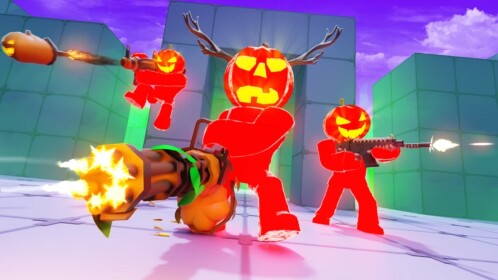
RIVALS’ experience description highlights a spooky event, haunted chest, skin case, new map, and new game mode. Open the event or contract interface before playing, then prioritize challenges that can be completed together in normal matches. Check exact reward requirements before spending keys or other resources. Current public listings show RIVALSWEEN continuing into early November, so Monday can be a progress day rather than a panic grind.
4. FischFright 3: set a specific collection goal
FischFright 3 is listed as a limited Halloween event running from October 17 into November. Check the event area, visible quests, and current collection requirements, then write down what remains. Do not assume last year’s ingredients, codes, or reward thresholds apply this year unless current developer information confirms them.
5. Dress To Impress and Adopt Me: quick checks, then choose
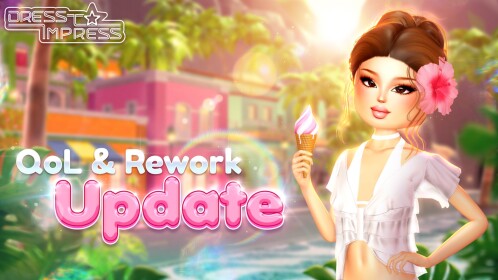
Dress To Impress’ Halloween update is listed as running into November. Check the quest board and seasonal shop, identify any limited task close to completion, and confirm whether an item is free, quest-earned, or paid before spending currency.
Adopt Me’s current listings also show seasonal activity continuing into the week. Check the event board and daily tasks, collect any available reward, then return to your main priority. A short check-in may be enough when an event window is longer than a day.
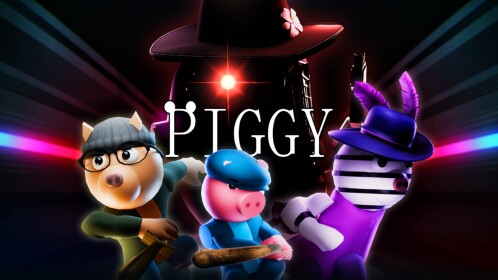
6. Piggy: finish achievable seasonal tasks
Piggy’s Fright Night seasonal content is listed through the end of October. If you are partway through its quests, list the remaining objectives and complete the shortest ones first. Do not assume a seasonal skin, badge, or effect is free unless the current reward screen confirms it.
A practical 60-minute Monday plan
- First 10 minutes: Check timers, claim completed rewards, and review any same-day deadline.
- Next 20 minutes: Finish quick objectives in the game closest to completion.
- Next 20 minutes: Focus on one main game—RIVALSWEEN, FischFright 3, or Dress To Impress.
- Final 10 minutes: Check Adopt Me and Piggy, note upcoming deadlines, and avoid spending Robux under time pressure.
Verify event details at the source
Use each experience’s official Roblox page and in-game event board as primary sources. Community calendars help with planning, but developers can change dates and rewards. Read Roblox’s official blog for platform announcements, and check the 99 Nights in the Forest, RIVALS, Fisch, Dress To Impress, and Piggy experience pages.
Frequently asked questions
What should Roblox players do first on Monday, October 19, 2026?
Check same-day event deadlines, claim rewards already earned, then complete the Halloween quests closest to finishing.
Which Halloween events continue after Monday?
Current public listings show 99 Nights in the Forest, RIVALSWEEN, FischFright 3, Dress To Impress, and Piggy seasonal content continuing beyond October 19. Confirm each timer in-game.
Are all Roblox Halloween rewards free?
No. Some rewards require quests or event currency, while other items may be paid. Check the reward screen before spending Robux.
Can I trust codes shared on social media?
Use only codes confirmed by developers or official experience channels. Never share passwords, browser cookies, or account recovery codes to claim a reward.
Can event times change?
Yes. Treat public calendars and screenshots as planning aids, then verify the live event panel or developer announcement before relying on a deadline.
Editorial note: Event information was checked against publicly available Roblox experience pages and current event-calendar coverage on October 18, 2026. Details may change; the in-game timer is the final check.
Related Roblox guide: The Hollow Day 1 priority list for casual players.







