

Updated October 26, 2026 · By Shivam Das
Quick answer: The best way to protect your Roblox The Hollow reward haul is to finish the quests available to you, confirm each reward is actually claimed, and revisit the event hub before the November 2 deadline. Roblox has confirmed a nine-monster, nine-day survival event and a live finale on October 31. Its public announcement does not provide a definitive day-by-day monster schedule, so check the live hub for the active floor rather than treating community predictions as official.
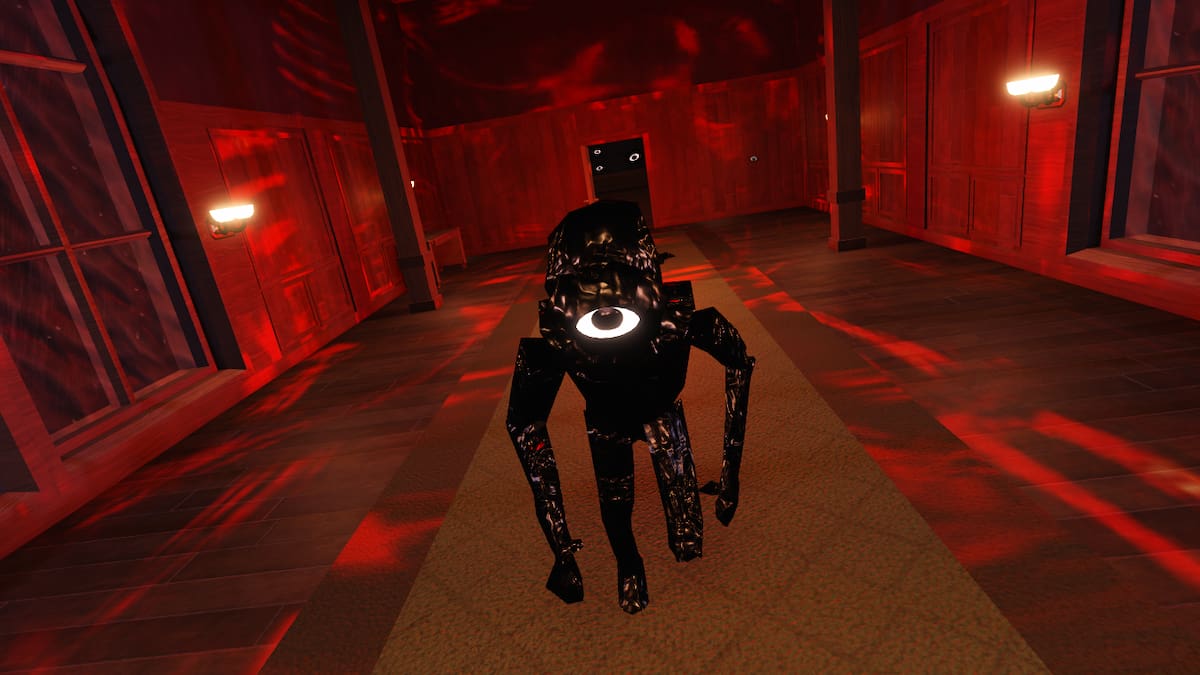
Table of Contents
- Why the remaining monsters matter
- The official monster lineup—and what is not confirmed
- Final reward checklist
- A practical plan for the time you have left
- Mistakes that can cost you rewards
- Do you need Roblox Plus?
- Frequently asked questions
Why the remaining monsters matter less than your claim checklist
The Hollow is Roblox's platform-wide Halloween survival event built around a sequence of changing mazes and horror-game threats. Roblox says players can search for clues, evade monsters, and complete quests to earn exclusive user-generated-content (UGC) avatar items and other rewards. The lineup gives the event its theme, but a monster name by itself does not prove that a particular item is unlocked, that a quest has registered, or that a reward has been added to your account.
That distinction matters during the final stretch. Players often spend their limited playtime chasing a rumored next monster or a reward shown in a creator's video, then forget to check the quest panel they already unlocked. A safer strategy is to treat the event hub as the source of truth for your account: read the active objective, finish it, check the completion state, and verify the item in the relevant reward or avatar interface.
Roblox's announcement says rewards remain collectible until noon Pacific Standard Time on November 2, 2026. The live finale is planned for the morning of October 31. Those dates give players a useful planning window, but they are not a promise that every individual quest will remain unchanged or that every item can be claimed without meeting its requirements.

The official monster lineup—and what is not confirmed
Roblox's October 21 announcement names nine monsters drawn from popular horror experiences:
- The Deer from 99 Nights in the Forest
- Seek from DOORS
- Twisted Dandy from Dandy's World
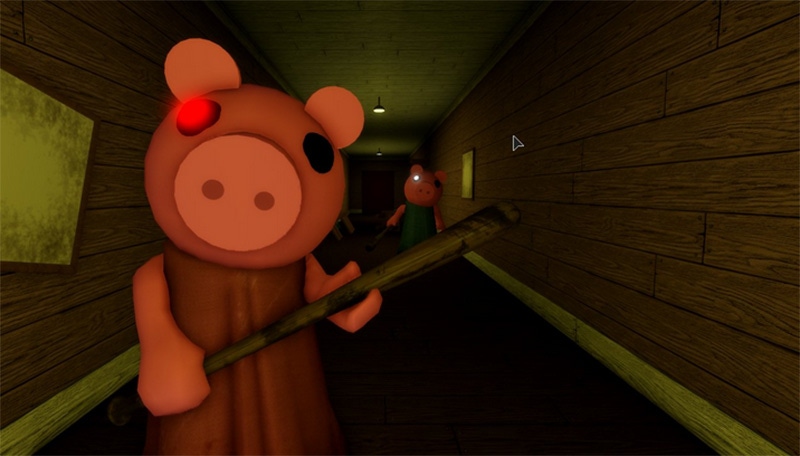
- Piggy from Piggy
- The Inspector from Scary Shawarma Kiosk
- Mimic from Animal Hospital
- Biter from Demonology
- Hiachi from The Mimic
- The Overseer from Warden
The official announcement confirms the roster and says a different monster appears each day for nine days. It does not set out a complete date-by-date order in that announcement. Community posts, fan-made schedules, and creator livestreams can be useful clues, but a stream featuring a monster is not automatically proof of the floor rotation or a reward reset. Before planning around a specific monster, check the event's current in-game display.
The same caution applies to rumors about “the final monster,” hidden bonus rounds, or extra items. Unless Roblox or the relevant in-game quest panel confirms a detail, treat it as unverified. This approach helps you avoid wasting time on outdated walkthroughs and reduces the risk of following copycat experiences that imitate the event.
Final reward checklist: do these before logging off
Use this checklist after each session. It is deliberately simple because the goal is to secure rewards you have earned, not to chase every rumor on social media.
- Open the official event hub. Use the official The Hollow experience on Roblox. Check the title, creator, and event panel before entering; do not rely on a search result with a similar name.
- Read the current quest wording. Identify the exact task, the participating experience if one is named, and any requirement that must be completed in a particular order.
- Finish one objective at a time. Avoid switching servers or leaving during a critical interaction unless the game clearly saves progress. If the completion state is unclear, reopen the quest panel and verify it.
- Check the claim state. A completed task and a claimed item are not always the same step. Look for a claim button, a confirmation message, or the reward listed as owned.
- Verify the item in your account. If the event panel says the reward is claimed but it does not appear where expected, refresh the relevant interface and check the item description. Do not assume an unofficial “fix” is required.
- Repeat for each reward you want. Keep a short list of completed, claimed, and still-pending items. This makes it easier to spot a missed claim before the deadline.
- Return before the published cutoff. Roblox says the reward window runs until noon PST on November 2. Do not wait until the last minute; allow time for a server issue, a confusing quest, or a claim that needs a second check.

A practical plan for the time you have left
If you have only 10 minutes: Enter the hub, review your quest list, and claim any completed reward that still needs a manual action. Prioritize the objectives that are already close to completion rather than starting a long challenge with unclear requirements. Before leaving, check whether the reward status changed.
If you have 30 minutes: Complete one or two clear objectives, then verify the associated items. If a quest points to a participating experience, follow the official in-game instruction and return to the hub afterward. Keep notes on the task name and the step where progress stopped if it does not register.
If you have an hour or more: Work through the outstanding objectives in a planned order. Start with tasks that have the clearest instructions and confirmed rewards, then attempt more difficult maze or monster challenges. If playing with friends, agree on roles and a meeting point before entering; a squad can help with communication, but it does not guarantee a faster clear.
Mobile players can use the same priorities. Lowering graphics settings, closing unnecessary apps, and using a stable connection may help with performance, but no setting guarantees a clean run on every device. If the game freezes, avoid downloading third-party “event fixers” or sharing account credentials. Rejoin through Roblox and check the quest panel again.

Mistakes that can cost you time—or leave a reward unclaimed
- Following an undated guide: Maze details and objectives may change. Check when a guide was published and compare it with the current quest text.
- Confusing a livestream with an unlock notice: Creator streams can show useful routes, but they are not official confirmation of a floor reset unless the event itself says so.
- Trusting fake code lists: Do not enter your password, verification code, or account cookie on a site promising free UGC, Tickets, or Robux. Roblox's event announcement describes quest rewards; it does not establish that every third-party code list is legitimate.
- Leaving a reward at “completed”: Reopen the reward panel and confirm the item was claimed or added.
- Waiting until the deadline: A final-hour attempt leaves little room for server queues, technical trouble, or a misunderstood objective.
- Assuming every avatar item is free: Roblox distinguishes quest-earned event rewards from avatar items sold on Marketplace. Check the listing and price before confirming a purchase.
Do you need Roblox Plus to finish your reward haul?
Roblox says active Roblox Plus subscribers received early hub access and additional membership perks, including a profile frame and background and an item launcher for gifting items during the event. Those are membership benefits; they should not be confused with a guarantee that every quest reward is exclusive to subscribers. The public event announcement says players complete quests to earn UGC and other rewards, and it does not say that simply watching a livestream automatically grants Tickets.
If you are playing without Plus, focus on the requirements shown in the event hub and participating games. Do not subscribe solely because a social post claims it is necessary for a particular free reward unless the official listing clearly says so. Check the current terms and in-game description before spending money.
Official sources and useful links
- Roblox Newsroom: The Hollow Halloween survival event — official event overview, monster lineup, finale, and reward deadline.
- The Hollow on Roblox — use the live event hub for current quests and floor information.
- Roblox Developer Forum announcement — official community-forum copy of the announcement.
Editorial note: This guide separates Roblox's published event facts from details that need in-game confirmation. The official roster and dates are confirmed; a complete day-by-day monster order, individual account progress, and every reward's current claim state should be checked in the live experience.
Frequently asked questions
When does The Hollow reward window close?
Roblox says players can continue collecting rewards until noon Pacific Standard Time on November 2, 2026. Check the event hub for any item-specific requirements and avoid waiting until the final hour.
Which monsters are still remaining?
Roblox's public announcement names all nine monsters but does not provide a complete day-by-day date chart. Check the active floor and quest display in the official hub rather than treating an unofficial schedule as confirmed.
Does defeating a monster automatically give every reward?
Do not assume that it does. Follow the objective shown in the event hub, complete any stated quest steps, and confirm that the reward is claimed or marked as owned.
Will watching a creator livestream give me free Tickets?
Roblox's announcement confirms that creators will livestream from The Hollow, but it does not say that watching a stream alone automatically grants Tickets. Follow the reward instructions shown in Roblox and avoid unofficial reward forms.
Do I need Roblox Plus for free UGC?
The announcement describes Plus-specific access and cosmetic perks separately from quest-based rewards. Check the requirements for each item in the live hub; do not assume all free UGC requires a subscription.
What should I do if my reward does not appear?
Reopen the quest and reward panels, confirm the task is complete, refresh or rejoin Roblox if necessary, and check the item's status again. If the issue persists, use Roblox's official support channels. Never share your password or account cookie with a third-party site.







