Updated October 27, 2026 · By Shivam Das
Minecraft’s new ambient ice audio is easy to miss if you are simply running through a frozen biome. In the 26.4 Java snapshots and the latest Bedrock Preview, regular ice can sometimes produce an eerie, singing sound—but it only has a chance to play when the block sits in a very specific arrangement. If your frozen base seems silent, the fix may be the block layout rather than your speakers.
Quick answer: Place an ice block so it has at least eight ice blocks in each horizontal direction, one air block directly above it, and one water block directly below it. The sound is chance-based, so meeting the conditions does not guarantee an immediate cue. These details come from Mojang’s Snapshot 5 and Bedrock Preview notes.
Official Java Snapshot 5 notes · Official Bedrock Preview 26.70.21 notes
How to trigger Minecraft’s ambient ice sound
- Find a suitable ice area. Frozen rivers and oceans are a practical place to start because ice can naturally form above water.
- Check the horizontal surroundings. The target ice block needs a substantial ice surround: at least eight ice blocks in each of the four horizontal directions—east, west, north, and south.
- Leave air above the target. The block directly above the ice must be an air block.
- Keep water directly underneath. The target ice block needs a water block below it.
- Wait and listen. The sound has a chance to play; it is not a guaranteed sound effect every time you place a block.
Think of the requirements as a small environmental puzzle, not a sound switch. A decorative ice wall inside a dry room may look right but still fail the water-and-air conditions. Start with a natural frozen shoreline, test a few candidate blocks, and only then recreate the arrangement at your base.
The exact block layout matters
Mojang’s notes describe the condition using the four horizontal directions, plus the air block above and water block below. In practice, test one target block at a time. If the sound does not trigger, check that the surrounding blocks are actually ice, that there is no solid block immediately overhead, and that the block underneath is water rather than another ice block.
Do not confuse this with a guaranteed ambient loop. The official notes say the block has a chance to emit the sound. That means a correct setup can remain quiet for a while. If you are building a showcase area, give the listening spot some time and avoid covering the top of the target block with slabs, trapdoors, or ceiling pieces.
Best places to use the sound in a survival build
1. A frozen lake listening deck
Build a small wooden or packed-ice platform beside a frozen lake and leave a safe opening where the target ice block meets the required water below. This is a good first experiment because you can keep the natural surroundings intact while adding lanterns, fences, and a path around the test area.
2. An ice-cave entrance
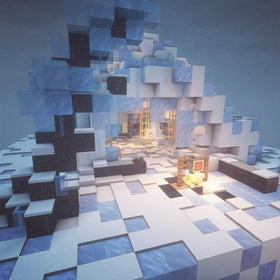
The new winter-themed drop adds ice caves, brittle ice, crevasses, ice crystals, and icicles. A quiet entrance chamber can make the new sound feel more atmospheric, but keep the listening area separate from fragile flooring. Brittle ice can crack and break under players, so do not use a dangerous crevasse crossing as your only route to the sound test.
3. A hidden room in an ice base
Use a small water-backed feature as a sound alcove rather than trying to make every wall emit audio. That keeps the design readable and makes it easier to troubleshoot. If the room is fully enclosed, preserve the air block above the target ice and keep the required water below it.
4. A survival-world audio checkpoint
Mark a known working test spot with signs or blocks so you can return after rebuilding nearby terrain. It is especially useful when comparing a natural shoreline with a custom-built display. Because the trigger is chance-based, note the layout—not just whether you heard a sound on the first attempt.
Why your ice blocks may be silent
- Not enough ice around the target: Check all four horizontal directions, not just the front and back.
- No air above: A roof or decorative block directly over the target can invalidate the setup.
- No water below: The water requirement is easy to overlook when building on a solid floor.
- Expecting instant playback: The sound is chance-based, so a valid setup may not play immediately.
- Testing a different version: Snapshot and Preview builds are work in progress. Features and behavior may change before the full release.
Java Snapshot vs. Bedrock Preview: what players should know
For Java Edition, the feature appears in Minecraft 26.4 Snapshot 5. To test it, open the Minecraft Launcher, choose the Installations tab, and enable snapshots for a separate test installation. For Bedrock Edition, Mojang documented the sound in Preview/Beta 26.70.21. Preview access varies by platform, and Android beta access is handled separately from the console and iOS Preview programs.
These are testing versions, not a promise that every detail is final. Back up important worlds before opening them in experimental builds, and use a separate test world whenever possible. For the latest platform-specific instructions, use Mojang’s official upcoming-drop testing hub.
Does the new sound work in every ice biome?
Not automatically. The sound condition is tied to the arrangement around an individual ice block, including the surrounding ice, air above, and water below. A frozen biome may contain plenty of ice without every block meeting those requirements. Test the block layout instead of assuming the biome alone activates the audio.
Can I make the sound play continuously?
The official notes describe a chance for the sound to play, not a guaranteed continuous loop or a player-controlled sound toggle. You can create a suitable environment and wait, but do not promise visitors that the sound will play on demand every time they enter your build.
Is this the same as the new packed-ice block sounds?
No. Snapshot and Preview notes also mention dedicated sound events for packed ice, blue ice, and frosted ice rather than reusing the old glass sound set. That is separate from the specific ambient sound condition described for regular ice. If you are testing the new audio, keep those two changes distinct.
FAQ
What blocks are required for Minecraft ambient ice sounds?
The target ice block needs at least eight ice blocks in each horizontal direction, one air block above, and one water block below. The sound has a chance to play when those conditions are met.
Why is my ice sound not playing?
Check the four horizontal directions, the air block above, and the water block below. If the layout is correct, wait longer because the sound is not guaranteed to trigger immediately.
Which version added ambient ice sounds?
The feature is documented in Java Edition 26.4 Snapshot 5 and Bedrock Preview/Beta 26.70.21, released for testing on October 20, 2026.
Will I hear it in my regular survival world?
Only if the feature is available in the game version you are playing and a block meets the required conditions. Snapshot and Preview features can change before release.
Bottom line
The trick to Minecraft’s new ambient ice audio is precise placement, not a hidden setting. Start with ice over water, keep the target block open to air, make sure ice surrounds it in all four horizontal directions, and give the chance-based sound time to occur. Once you find a working arrangement, use it as a small atmospheric detail in a frozen lake deck, ice-cave entrance, or survival base—and keep a backup of any world you use to test snapshots.
Sources: Minecraft Java 26.4 Snapshot 5; Minecraft Bedrock Preview 26.70.21; Minecraft’s official testing hub.
Author: Shivam Das