Updated October 28, 2026 | By Shivam Das
Minecraft’s Nintendo Switch 2 release is here, and the Super Mario Mash-Up Pack is one of its most eye-catching features. The pack’s custom Mario-themed world now supports Vibrant Visuals on Switch 2, bringing more expressive lighting, shadows, atmospheric depth, and water reflections to familiar Mushroom Kingdom-inspired locations.
First, a useful clarification: the Super Mario Mash-Up Pack is a curated themed world, not a list of ordinary random world seeds. If you want Peach’s Castle, Delfino Plaza-style scenery, or classic Mario-inspired set pieces, start with the included Mash-Up content. The ideas below are visual scouting tips for finding photogenic places and for choosing regular Minecraft seeds that complement the same bright, playful aesthetic.
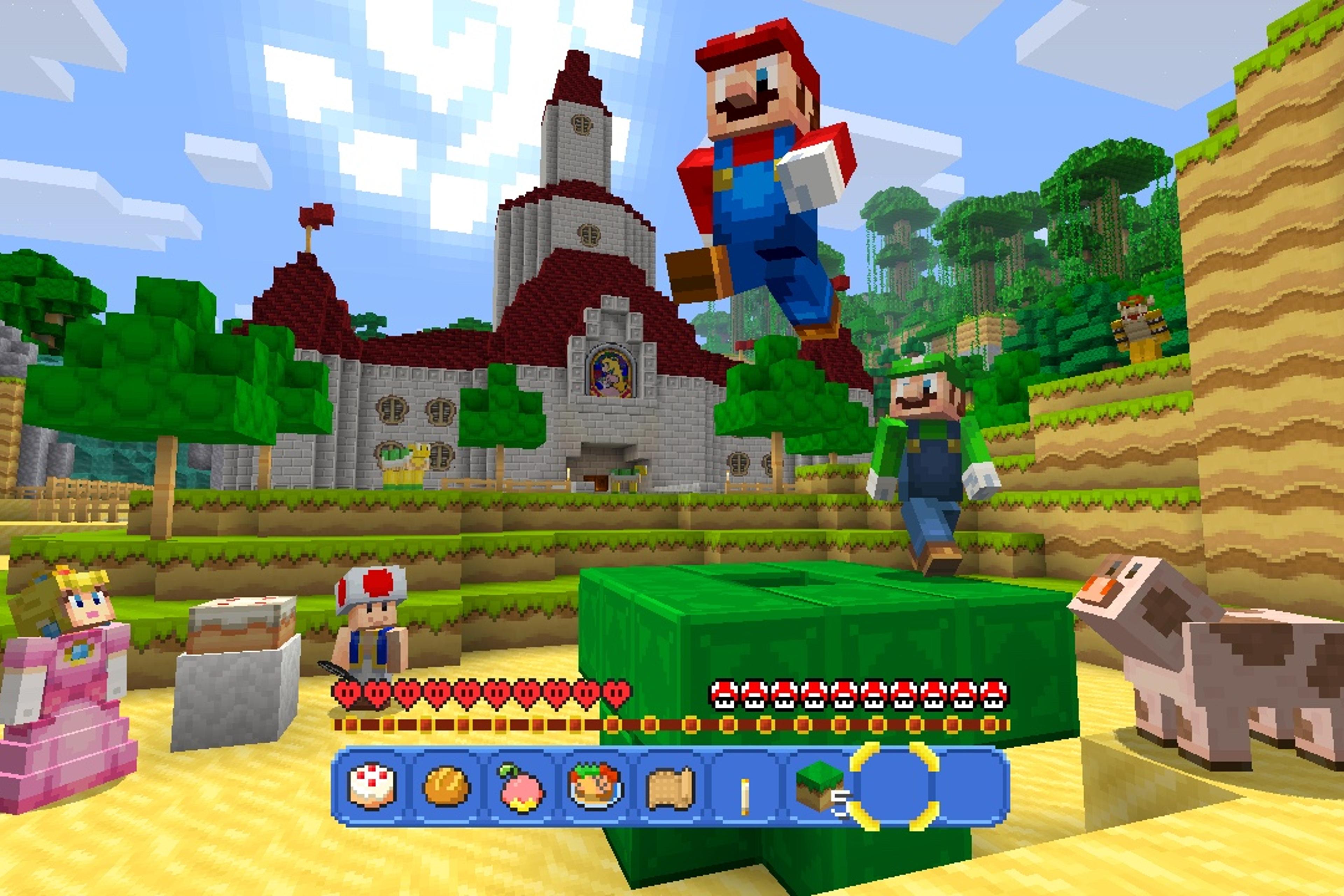
Quick answer: for the strongest Vibrant Visuals screenshots, prioritize colorful landmarks, open sightlines, water, contrasting blocks, and scenes with both direct sunlight and shaded areas. The themed Mash-Up world is the easiest place to begin; ordinary seeds are best when you want a fresh landscape to build your own Mario-inspired level.
What makes a Minecraft world look good with Vibrant Visuals?
Vibrant Visuals is a rendering upgrade rather than a world-generation feature. Minecraft describes improvements including directional lighting, volumetric fog, moving shadows, and water reflections. A seed is not automatically “better” because it contains rare terrain; it is more useful when its scenery gives the lighting system something interesting to work with.
- Strong color contrast: green grass beside red, white, yellow, or blue blocks makes Mario-inspired builds easy to read.
- Water and shorelines: lakes, canals, and coastlines give reflections and changing light a chance to stand out.
- Layered elevation: hills, terraces, cliffs, and bridges create visible shadow and depth.
- Open skies: broad views make sunrise, sunset, and cloud-filled screenshots less cluttered.
- Recognizable silhouettes: castles, giant mushrooms, pipes, and pixel-art signs remain legible from a distance.
1. Peach’s Castle and the surrounding lawns
For a classic hero shot, begin around the castle and frame it with a little foreground rather than placing it dead center with no context. A path, lawn, pipe, or nearby hill creates depth and helps the castle stand out. Try one screenshot in direct daylight and another when shadows stretch across the grass.
This is also a useful reference if you plan to build your own castle in a normal world. Look for a seed with a wide, relatively flat meadow and a raised backdrop—enough room for a symmetrical entrance, gardens, and a long approach.

2. Delfino Plaza-inspired waterfront scenes
Waterfronts are promising for Vibrant Visuals because the official feature set includes water reflections and improved lighting. Look for a plaza with a clear view across water, a bridge or promenade in the foreground, and buildings that create a colorful skyline. In an ordinary seed, a coastal village or broad river bend can provide a similar composition.
Keep the horizon visible and avoid filling every edge of the frame with tall structures. A clean view of the water gives the image room to breathe, while bright blocks near the shoreline provide contrast.

3. Desert levels with bold silhouettes
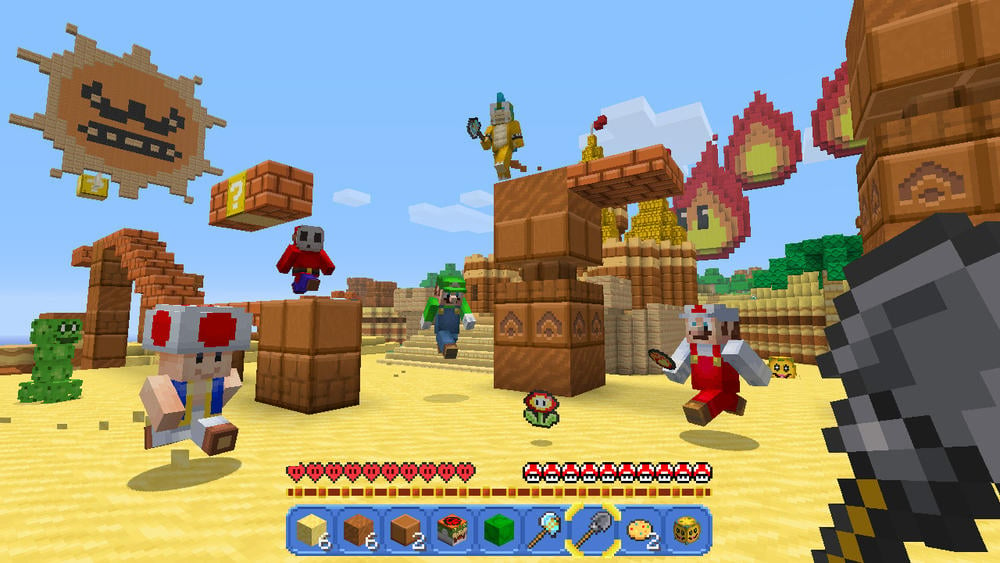
Desert-themed Mario scenery can be effective because pale ground makes saturated blocks and character skins stand out. Look for open sand, brick platforms, tall structures, and a clear skyline. In a regular seed, a desert beside a river or green biome can create stronger color separation than a desert stretching uniformly in every direction.
For a screenshot, lower the camera slightly and use a foreground block or platform to lead the eye toward a distant structure. That gives the scene a sense of scale without hiding the architecture.
4. Mushroom houses and green forest clearings
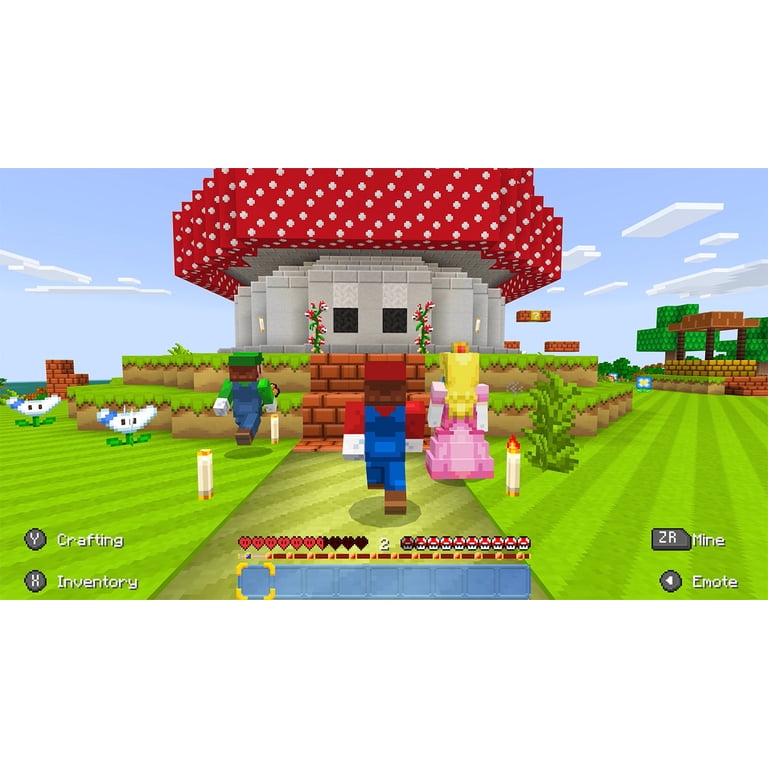
Giant mushroom houses are instantly recognizable visual shorthand for the Mushroom Kingdom. A clearing surrounded by trees can make a mushroom roof the focal point, while the canopy adds shade and depth. When scouting a regular world seed for a similar build, choose a forest edge rather than dense woodland: you want enough trees to frame the house without obscuring it.
Try placing the camera at the edge of the clearing, with grass and a path in front of the house. If you build your own scene, add small flower patches and a few contrasting blocks instead of crowding the frame with decorations.
5. Snowy scenes for a different color palette
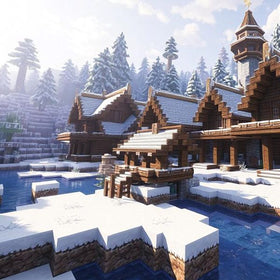
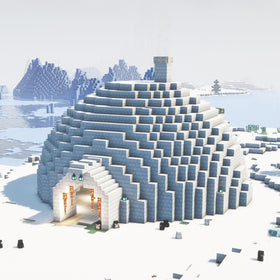
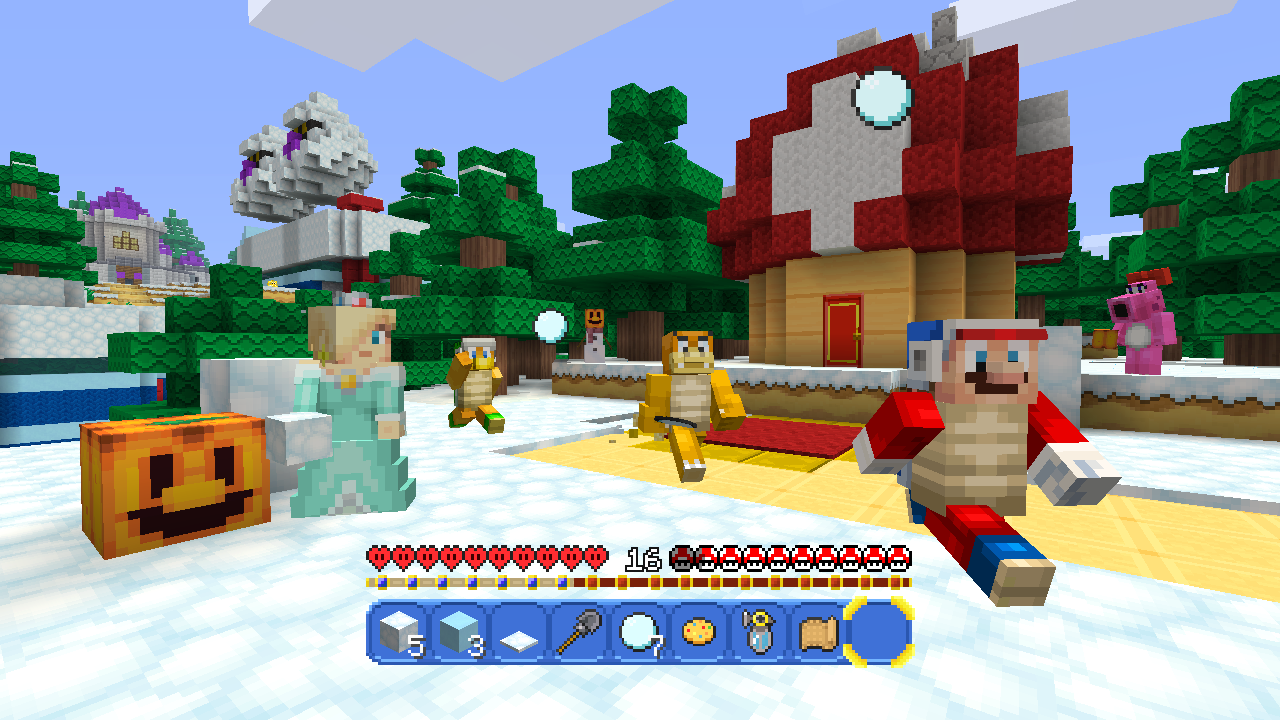
Not every great Mario-inspired screenshot needs tropical colors. Snow creates a clean background for red roofs, colorful character skins, and dark evergreen trees. For a similar build in a regular seed, search for snowy plains or a snow-covered forest with an open clearing. Keep the main build bright and use trees or stone features to add contrast.
Snowy scenes can feel flatter in a wide, empty field, so include a cabin, mushroom house, small hill, or line of trees to give the image structure.
How to scout or create a seed for Mario-style screenshots
- Start with the right platform and content. The updated Super Mario Mash-Up Pack is exclusive to Nintendo versions of Minecraft. On Switch 2, it supports Vibrant Visuals, though some gameplay modes and certain Marketplace content may disable the feature.
- Choose a curated world or a fresh seed. Choose the Mash-Up Pack for its themed locations. Choose a normal world seed if you want to build your own Mario course from scratch.
- Scout before committing to a build. Explore the spawn area, nearby water, open plains, desert edges, and forest clearings. A seed with several landscapes close together gives you more options for screenshots.
- Check lighting at different times. Take a daytime reference shot, then compare it with a lower sun angle. Shadows and reflections can change the mood without changing the location.
- Capture a clean composition. Use a clear focal point, leave some sky or water visible, and avoid hiding the landmark behind trees or foreground clutter.
Important Switch 2 and multiplayer notes
Minecraft for Nintendo Switch 2 launched on October 27, 2026, and includes the Super Mario Mash-Up Pack with Vibrant Visuals support. Nintendo and Minecraft warn that Vibrant Visuals is unavailable in some gameplay, including split-screen and certain Marketplace worlds or content. If your screenshot looks different while playing locally with a friend, check the mode and content before assuming the world or seed is the problem.
Cross-platform play requires a Microsoft account, and online multiplayer on Nintendo consoles requires a Nintendo Switch Online membership. The Mario Mash-Up content is Nintendo-exclusive, so do not assume that the themed world itself can be shared as a playable experience across every platform just because ordinary Bedrock multiplayer supports cross-platform play.
For current platform details, read the official Minecraft Switch 2 launch guide and the Nintendo Switch 2 product page.
Frequently asked questions
Are there special seeds for the Super Mario Mash-Up Pack?
The pack includes a curated Mario-themed world, so you do not need a random seed to access its signature locations. Ordinary seeds are useful when you want to create your own Mario-inspired build in a standard world.
Does Vibrant Visuals change the world seed?
No. Vibrant Visuals changes how supported worlds are rendered; it does not generate a different landscape or guarantee a particular structure at spawn.
Can I use Vibrant Visuals in split-screen?
Not in all situations. Official guidance says Vibrant Visuals is unavailable in some gameplay, including split-screen and certain Marketplace worlds or content.
What are the best biomes for Mario-inspired builds?
Open plains, coastlines, deserts, forest edges, and snowy clearings are practical starting points because they offer space, contrast, and clear sightlines. The best choice depends on whether you want a castle, plaza, desert course, mushroom house, or winter scene.
Is the Super Mario Mash-Up Pack available on every platform?
No. It is exclusive to Nintendo versions of Minecraft. Nintendo Switch 2 includes the updated pack, while other platforms do not offer the same Nintendo-themed content.
Bottom line
If your goal is a striking screenshot, do not chase a seed number alone. Start with the included Super Mario Mash-Up world for its recognizable landmarks, then look for strong color contrast, open views, water, layered terrain, and clean lighting. Use a normal seed when you want the freedom to design your own Mushroom Kingdom-inspired scene—and remember that Vibrant Visuals support depends on the platform, gameplay mode, and content.
Image note: The screenshots in this article are reference images from earlier versions of the Super Mario Mash-Up Pack and related listings; they illustrate locations and composition ideas and should not be mistaken for verified Nintendo Switch 2 Vibrant Visuals captures.