
Want a Halloween-ready Roblox avatar without spending Robux? The Hollow’s Night 3–6 rewards give players several eerie accessories to mix into a look, from tentacled headwear to shoulder companions and face accessories. The trick is to build around one statement item instead of equipping every spooky reward at once.
Updated October 27, 2026: This outfit guide separates free quest rewards from ticket-shop purchases and Roblox Plus perks. Some Night 6 reward routes are still reported by community guides rather than fully itemized in Roblox’s official announcement, so check the live event board before spending time on a specific unlock.
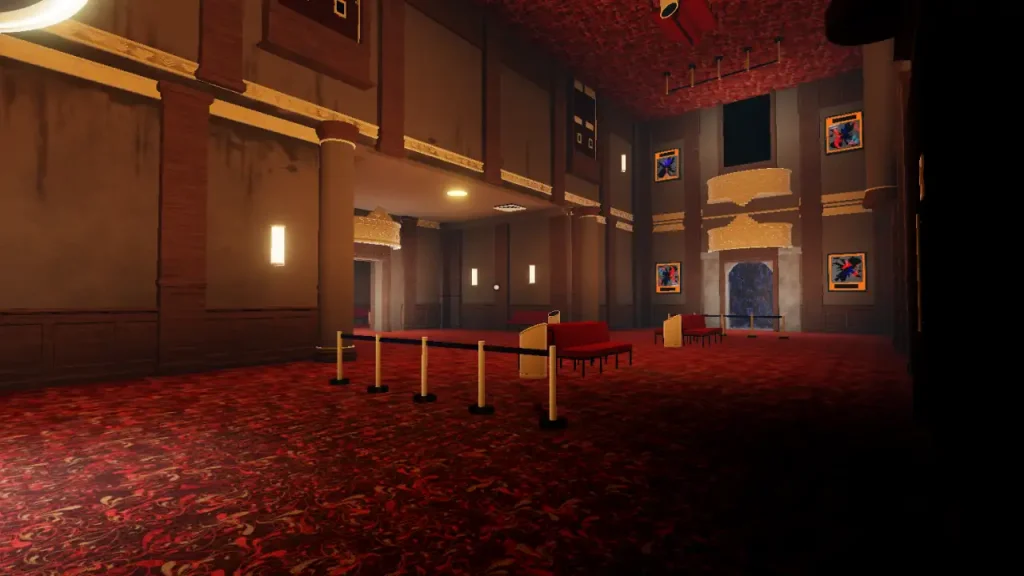
Which free Hollow items work best together?
For a cohesive outfit, choose one head item, one face or neck accessory, and one shoulder or back piece. The event’s free UGC comes from hub puzzles and quests in participating games; it is different from items listed for Tickets in the Little Shop of Terror and paid Marketplace cosmetics. Roblox says The Hollow runs through November 2, 2026, with its live finale on October 31. Roblox’s official event announcement explains the event and reward framework.
| Outfit idea | Pieces to try | Look |
|---|---|---|
| Graveyard Scout | Biter Fedora + Boo & Bub | A simple explorer look: let the hat set the mood and use the shoulder accessory as the accent. |
| Possessed Archivist | Festering Felix + Hiachi Grin Mask | A monster-forward face and head combination for a darker, horror-themed avatar. |
| Forest Haunter | Spore-Worn Traffic Cone + Chrome Deer Skull Chain | Pair the unusual head item with the neck accessory for a forest-creature silhouette. |
| Night-Shift Survivor | Veil of Darkness + Boo & Bub | Keep the outfit mostly dark and use the shoulder item to add a readable Halloween detail. |
| Floor 6 Experiment | The Amazing Liquefactive Bighead, if it appears in your live reward flow | Build around the oversized head rather than stacking other head accessories. |
Important: Item names and unlock routes for later nights can change as the event updates. Third-party guides currently report several Night 5–6 rewards, but Roblox’s announcement confirms the event and general reward system—not every item’s daily unlock route. Verify the item and its claim prompt inside The Hollow before treating a community-reported route as official.
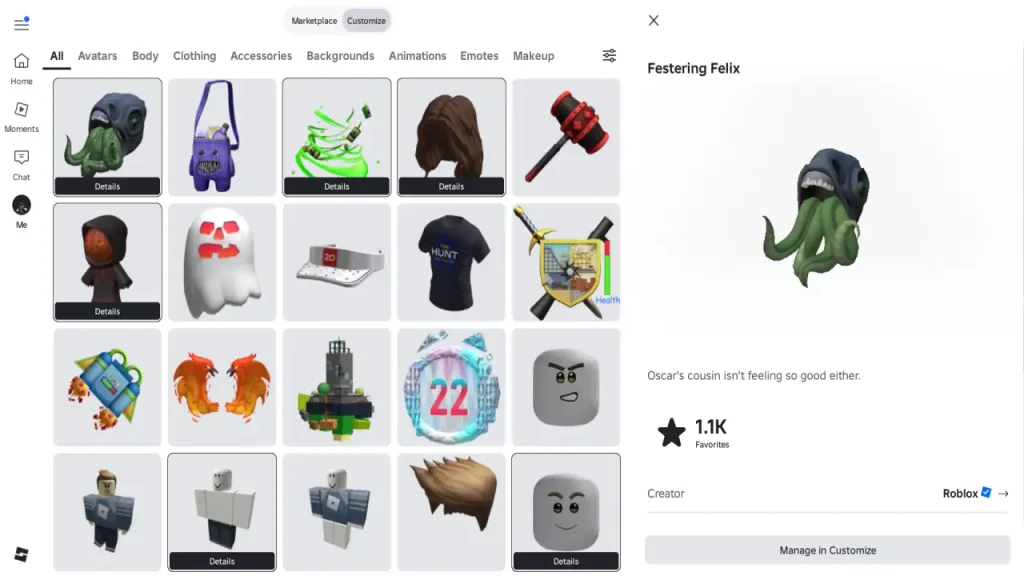
How to make the outfit look intentional
- Pick one focal piece. Use the most noticeable head item first, then add one accessory that does not compete with its shape.
- Check accessory slots. Two head accessories may overlap or hide each other. If that happens, keep the stronger silhouette and move the second item to a different category.
- Use a restrained color palette. Black, charcoal, muted green, and one bright accent usually make the event pieces easier to read in screenshots.
- Test both R6 and R15. Body proportions and accessory placement can change between rigs. Preview the outfit on the rig you actually use before saving it.
- Keep the build free. Avoid adding a Marketplace item or a ticket-shop accessory if your goal is a no-Robux look. Check the item’s listing or live event board instead of relying on a thumbnail alone.

How to claim the pieces before styling your avatar
- Join the official Roblox experience for The Hollow and check the current floor and quest prompts.
- Complete the listed puzzle or partner-game objective. For a floor reward, make sure you return to the hub with the relic if the objective requires it.
- Look for a separate Claim interaction at the reward display. Completing a challenge or earning a badge does not always mean you have finished the item-claim step.
- Open your Avatar Editor and check the correct category—head, face, neck, shoulder, or back—before repeating a quest.
- If an item is missing, rejoin once, refresh the avatar inventory, and confirm the badge or quest completion first. Do not replay a long quest until you know which step failed.

What to know about Night 5 and Night 6 items
Community guides list rewards such as Spore-Worn Traffic Cone, Veil of Darkness, and Hiachi Grin Mask around Night 5. Night 6 reporting includes The Amazing Liquefactive Bighead and partner-game items, but the exact live board should take priority over an older article or social post. These are quest-reward outfit ideas, not a promise that every piece is available to every player at the same moment.

For related help, see our Floor 6 relic inventory checklist, the Night 7 Inspector report, and our R6 vs. R15 free UGC comparison.
Official event post
Roblox’s official The Hollow event post, October 22, 2026
Frequently asked questions
Can I make a Hollow avatar outfit without spending Robux?
Yes. Focus on quest-based UGC rewards and avoid paid Marketplace cosmetics or ticket-shop items. Check the live reward board because not every event item is free or universally available.
Are all Night 3–6 reward routes officially confirmed?
No. Roblox confirms The Hollow’s event structure and general reward system, while some specific item names and routes for later nights are reported by community guides. Treat the live in-game prompt as the final authority.
Why does an accessory disappear when I equip another one?
Some accessories occupy similar placement areas or overlap on a particular rig. Remove one piece at a time, try a different accessory category, and preview the look on both R6 and R15.
When does The Hollow reward window end?
Roblox says players can continue collecting rewards until noon Pacific time on November 2, 2026. The live finale is scheduled for October 31, so do not confuse the finale date with the later reward-claim cutoff.
Reporting note: This guide was checked against Roblox’s official event announcement and current third-party reward guides on October 27, 2026. Item-specific routes may change; confirm them in the live experience.