Minecraft for Nintendo Switch 2 includes the Super Mario Mash-Up Pack, and the familiar Nintendo crossover has been refreshed for the new system. If you are opening the pack for the first time—or returning after years away—there is more to explore than a Mario skin. The package combines a themed world, a reworked look for blocks and creatures, character skins, and a soundtrack built around the Super Mario series.
Nintendo’s current product information confirms the headline numbers: 40 player skins and 15 music tracks. The pack is exclusive to Nintendo versions of Minecraft, so do not assume the same Mario content is available on Xbox, PlayStation, PC, or mobile. Here is the practical checklist for getting the most out of it on Switch 2, plus what is and is not confirmed about the exact track list.
What is included in the Switch 2 version?
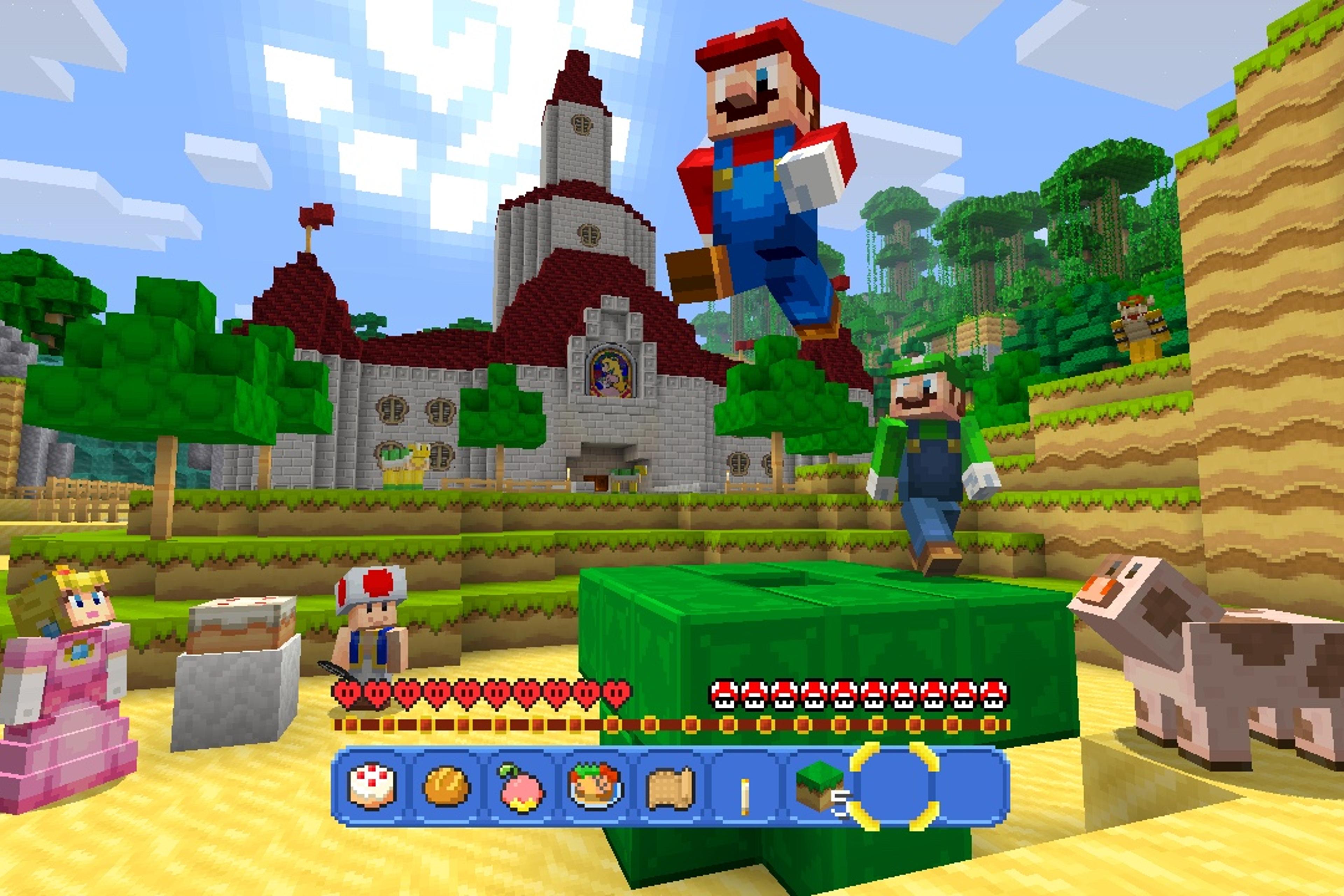
The Nintendo Switch 2 edition includes the Super Mario Mash-Up Pack with support for Vibrant Visuals. The pack is more than a cosmetic skin bundle: it changes the look of the world, brings Mario-inspired music into the experience, and provides a themed map with recognizable locations. Minecraft’s official announcement specifically calls out Peach’s Castle and Delfino Plaza, while Nintendo lists 40 skins and 15 tracks.
- 40 character skins: a broad roster inspired by the Super Mario series.
- 15 music tracks: themed music to make exploring the pack feel different from a standard survival world.
- A custom world: themed locations, structures, routes, and secrets to explore.
- A refreshed presentation: Switch 2 supports Vibrant Visuals in compatible gameplay, although it is not available in every mode or every Marketplace world.
Official references: Minecraft’s Switch 2 announcement and Nintendo’s launch announcement.
The first skins worth checking
With 40 options, the best approach is to start with recognizable characters and then branch out into alternate forms and supporting characters. These are good first picks to look for in the skin selector; the list below is a starter guide, not a claim that these are the only available skins.
| Skin to check | Why it is worth trying | Best fit |
|---|---|---|
| Mario | The classic red-cap, blue-overalls look is the obvious baseline for a first run through the themed world. | Exploring the main route and taking screenshots |
| Luigi | A natural alternative if you want a recognizable second-player look without straying from the core cast. | Co-op sessions and matching duo screenshots |
| Princess Peach | Fits especially well when visiting castle areas and other royal-themed builds. | Castle exploration and role-play builds |
| Toad and Captain Toad | Good choices for players who prefer a smaller adventurer or explorer identity over the main heroes. | Treasure hunts and themed adventure maps |
| Yoshi | A fan-favorite character that makes a playful change from the standard human-shaped skins. | Casual exploration and group photos |
| Bowser | Ideal for villain-themed builds, boss-room recreations, and screenshots around dramatic structures. | Role-play, fortress builds, and dramatic scenes |
| Cat Mario and Cat Peach | Alternate character forms are worth checking after the classic costumes, especially if you want a more distinctive look. | Collecting alternate styles |
| Propeller Mario and Mario with F.L.U.D.D. | These variations reference specific Mario adventures rather than only the classic outfit. | Players who enjoy series history and alternate designs |
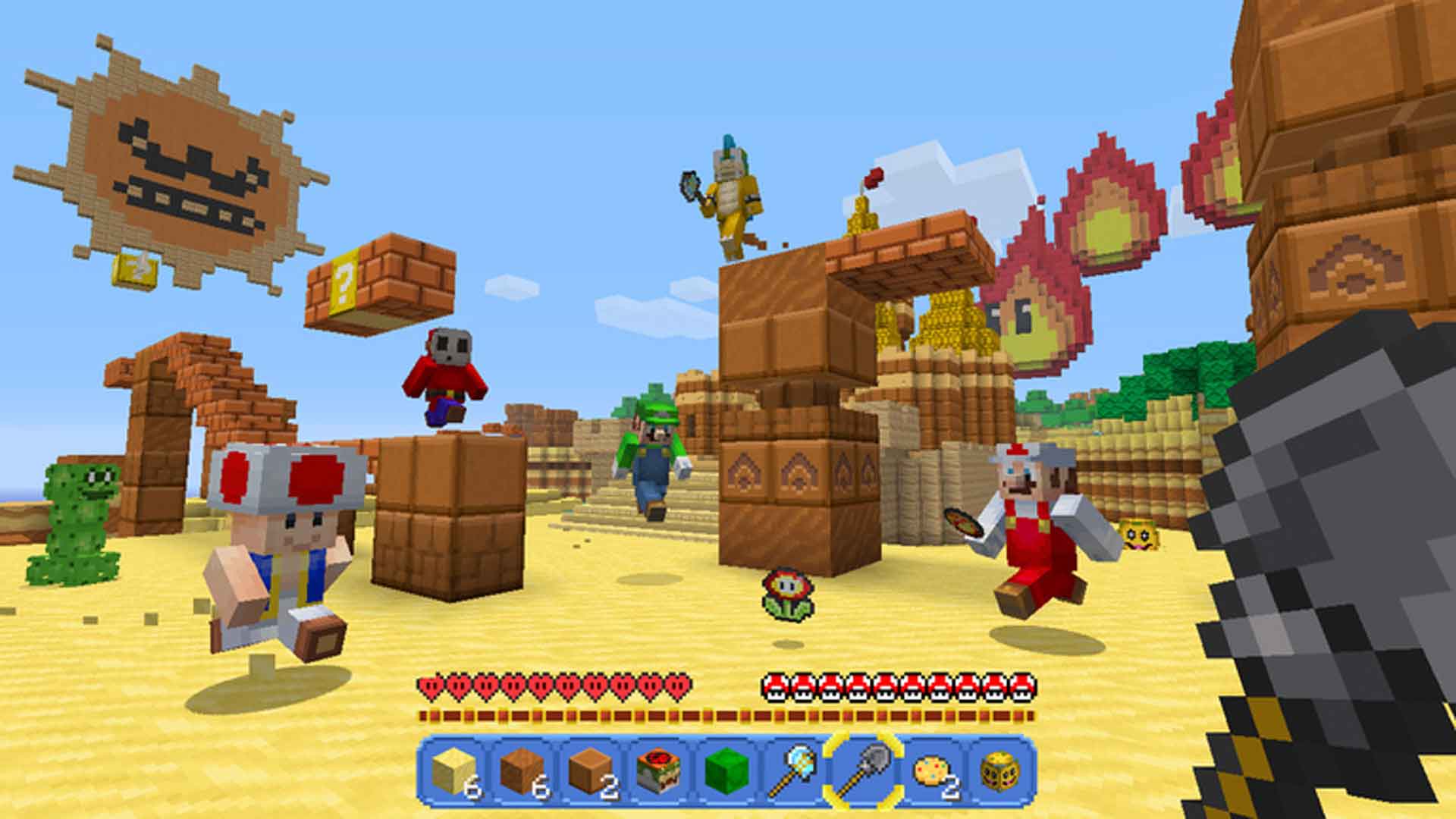
Quick tip: choose a skin before you start a photo tour of the world. If you are taking screenshots with friends, agree on a theme—heroes, villains, or supporting characters—so the group looks intentional rather than random.
Music: how to make the most of all 15 tracks
Nintendo confirms that the pack includes 15 tracks, but its current Switch 2 product page does not publish a complete, track-by-track playlist. Rather than inventing song names or promising a particular track is in a specific location, use the in-game world as your listening guide and check the pack’s music areas as you explore.
- Listen while exploring, not only while standing still. Move between the main route, buildings, and hidden corners so you can notice when the soundscape changes.
- Check the world’s music-related rooms and chests. Older versions of the themed world used hidden music discs as exploration rewards; if you are revisiting a legacy layout, search carefully instead of assuming every item is in plain sight.
- Use a quiet session for a soundtrack check. Turn down other audio sources briefly and listen for transitions, so you can distinguish the pack’s music from ordinary game ambience.
- Revisit familiar locations after the Switch 2 visual update. The updated lighting is a reason to take another look, but it does not mean every mode or every area uses Vibrant Visuals.
- Keep a personal track checklist. Since the official product page confirms the count but does not enumerate all 15 titles, mark tracks as you hear them rather than relying on unverified online lists.
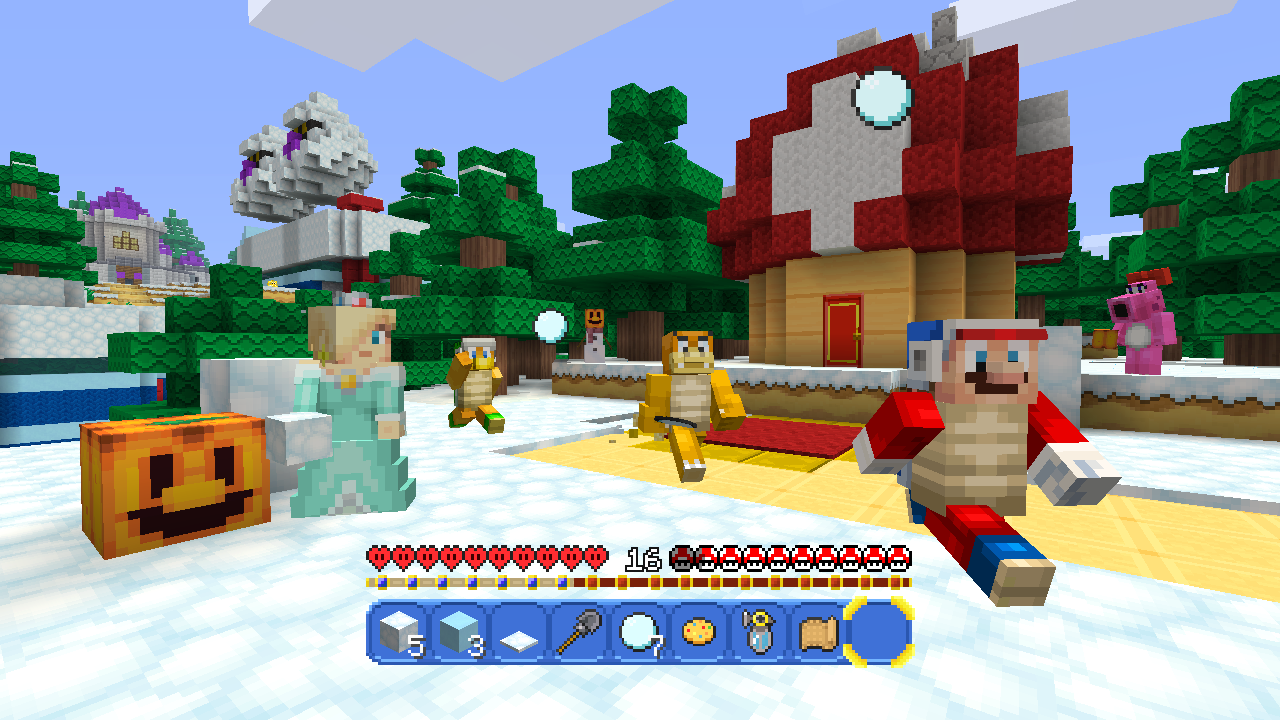
World landmarks you should not skip
Start with Peach’s Castle, then make time for Delfino Plaza. Those locations are specifically highlighted in Minecraft’s announcement of the Switch 2 refresh. Look at the surrounding paths and buildings too: the value of a Mash-Up pack is how thoroughly it transforms the world, not just the character model in the corner of the screen.
After the headline landmarks, inspect unusual structures, side paths, caves, and rooms that look decorative. Mash-Up worlds often reward curiosity, and a familiar-looking route can conceal a chest, a themed detail, or a shortcut. If you are playing with friends, split up briefly to explore separate branches and then regroup to compare what each person found.

What looks different on Switch 2?
The main platform-specific change is support for Vibrant Visuals in the Switch 2 version. Minecraft says the Super Mario Mash-Up Pack is being updated to take advantage of the graphics feature. Expect the visual treatment to emphasize lighting and shadows, but do not treat every screenshot or older guide as a precise representation of the Switch 2 build.
There are also limits. Minecraft and Nintendo both warn that Vibrant Visuals is unavailable in some gameplay, including split-screen and certain Marketplace worlds or content. If your screen does not look like a promotional image, first check the mode and the world you are playing before assuming the update failed.

Can you use these skins and music on other platforms?
Do not assume you can take the Super Mario Mash-Up Pack to Java Edition or to a non-Nintendo console. The pack is described by Minecraft and Nintendo as exclusive to Nintendo versions of Minecraft. Nintendo also notes that online play has platform-specific requirements; online multiplayer on Switch requires a Nintendo Switch Online membership, sold separately, and cross-platform play requires a Microsoft Account.
If you are moving from the original Nintendo Switch, Nintendo says Switch worlds can be carried over to Switch 2. That is separate from assuming every setting, skin, or visual effect behaves identically across systems. For the upgrade details and eligibility, see our related guides: Minecraft Switch 2 free digital upgrade guide and what Vibrant Visuals changes for survival players.
Fast checklist before you leave the pack
- Try a classic hero skin, then compare it with an alternate form.
- Visit Peach’s Castle and Delfino Plaza.
- Explore side paths and inspect unusual rooms for secrets.
- Listen for the pack’s music and keep track of what you have heard.
- Take screenshots in compatible single-player gameplay to see Vibrant Visuals at its best.
- Remember that the official listing confirms 40 skins and 15 tracks, but does not provide a complete public track-name list.
Frequently asked questions
How many skins are in the Super Mario Mash-Up Pack on Switch 2?
Nintendo’s official listing says the pack includes 40 player skins inspired by the Super Mario series.
How many music tracks are included?
The official Nintendo listing confirms 15 tracks. Its current Switch 2 product description does not enumerate every track title, so be cautious with pages claiming a complete official list unless they cite a reliable source.
Is the Super Mario Mash-Up Pack included with Minecraft for Switch 2?
Yes. Nintendo and Minecraft state that the pack is included with Minecraft for Nintendo Switch 2.
Does the Mario pack work on Java Edition or Xbox?
The Super Mario Mash-Up Pack is exclusive to Nintendo versions of Minecraft. Do not expect the same pack to be available on Java Edition or non-Nintendo consoles.
Does Vibrant Visuals work everywhere in the Mario world?
No. Minecraft warns that Vibrant Visuals is not available in some gameplay, including split-screen and certain Marketplace worlds and content.
Official sources and video
For the most reliable launch information, start with the official Minecraft announcement and Nintendo’s Switch 2 announcement. The video below is from Nintendo of America and shows the original Super Mario Mash-Up Pack.
Article by Shivam Das. Details checked against official Minecraft and Nintendo information available on October 27, 2026.