
Updated October 27, 2026: If Roblox The Hollow opens but Floor 6 stays blank, freezes, or refuses to load, start with a normal rejoin—not a reinstall. The goal is to refresh the experience session while protecting your progress and avoiding unnecessary changes to your device.
Roblox’s official Halloween event runs through November 2, with a live finale on October 31. Floor 6 is the Animal Hospital-themed maze featuring the Mimic, but a loading problem does not automatically mean the floor is locked or your reward is lost. Roblox’s event announcement confirms the event window and daily-maze format; it does not list a special Floor 6 refresh command.

Quick answer: the safest refresh sequence
- Wait 30–60 seconds if the loading screen has only just appeared.
- Leave The Hollow using Roblox’s in-experience menu, then return to the Roblox app or website.
- Reopen the official The Hollow experience and join again.
- If Floor 6 still hangs, fully close Roblox and relaunch it. On a browser, reload the tab once; avoid repeatedly clicking Join while the first request is still spinning.
- Check Roblox Status before changing device settings. If Games, Player, or Game Join reports an incident, waiting may be more effective than troubleshooting locally.

PC browser: force a clean reload without wiping everything
On Windows or Mac, first click the Roblox experience tab and use Ctrl + R (Windows) or Command + R (Mac) if the page itself is stuck. If the Roblox player opened in a separate app, close that player window completely and launch The Hollow again from the official experience page. A browser refresh reloads the page; it does not guarantee that a stuck game-server session has been repaired.
If the hub page loads but the game client does not, try a private/incognito window only as a quick test, and sign in through Roblox’s official site. If that works, a browser extension or cached site data may be involved. Clear Roblox site data only if needed, knowing you may have to sign in again. Do not download third-party “FPS boosters,” cache cleaners, or fix tools for this problem.

Mobile: refresh the app session first
- iPhone or iPad: leave the experience, swipe Roblox away from the app switcher, reopen Roblox, and join The Hollow again. If it still fails, switch between Wi-Fi and cellular once to rule out a local connection issue.
- Android: leave the experience, force-stop Roblox from the app settings, then launch it again. If the problem persists, check for an official app update. Clear cache only if your device offers that option; avoid clearing app storage or reinstalling as the first step.
- Both platforms: close downloads or other heavy network activity, move closer to your router if on Wi-Fi, and test another Roblox experience. If other games load normally but only The Hollow fails, that points more toward the experience/session than a whole-device outage—but it is not proof.
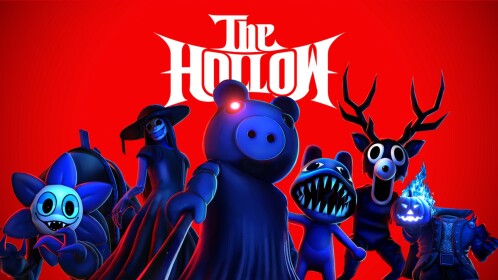

If Floor 6 alone refuses to load
Once the hub opens, give the elevator a moment to finish loading before selecting Floor 6. If the transition freezes, leave and rejoin once rather than repeatedly selecting the floor. If you can reach other floors but not Floor 6, capture the approximate time, device, and what the screen does; that information is more useful in a support report than simply saying “Roblox is broken.” Floor layouts and puzzle details can vary, so a route from another player’s run may not match yours.
Before retrying a reward run, review our related guides: what to check if the Floor 6 relic is missing and how to protect your progress if Floor 6 glitches during a claim. Rejoining can refresh a stale display, but it is not a guaranteed fix and should not be presented as proof that a reward has been granted.
When to stop troubleshooting
If Roblox Status reports a disruption, or several experiences fail to join, wait for service recovery and try again later. If Roblox is operational and only this hub keeps failing after one clean restart, report the issue through the official Roblox Help Center. Never share your password, browser cookies, or account recovery codes with anyone offering a “private server fix.”
Reporting note: Roblox’s official announcement confirms The Hollow event and its schedule, but does not document a dedicated Floor 6 force-refresh button. The steps above are general, low-risk session troubleshooting—not a guaranteed official fix.
FAQ
How do I force-refresh The Hollow on Roblox?
Leave the experience, close the Roblox player or app fully, reopen the official The Hollow listing, and join again. On a stuck browser page, reload once before relaunching the game.
Will rejoining delete my Floor 6 reward?
A refresh is not the same as deleting your Roblox account or inventory, but a reward may not register if a run did not finish correctly. Check the relevant badge and Avatar Editor after rejoining rather than assuming the reward is lost or granted.
Should I reinstall Roblox if Floor 6 will not load?
Not as the first step. Restart the experience and app, check Roblox Status, and test another experience first. Reinstall only if the app itself continues to fail and simpler steps do not help.
Is Floor 6 officially locked?
A loading freeze alone does not prove the floor is locked. Roblox’s event announcement says The Hollow uses daily mazes, but it does not identify a special force-refresh action for Floor 6.