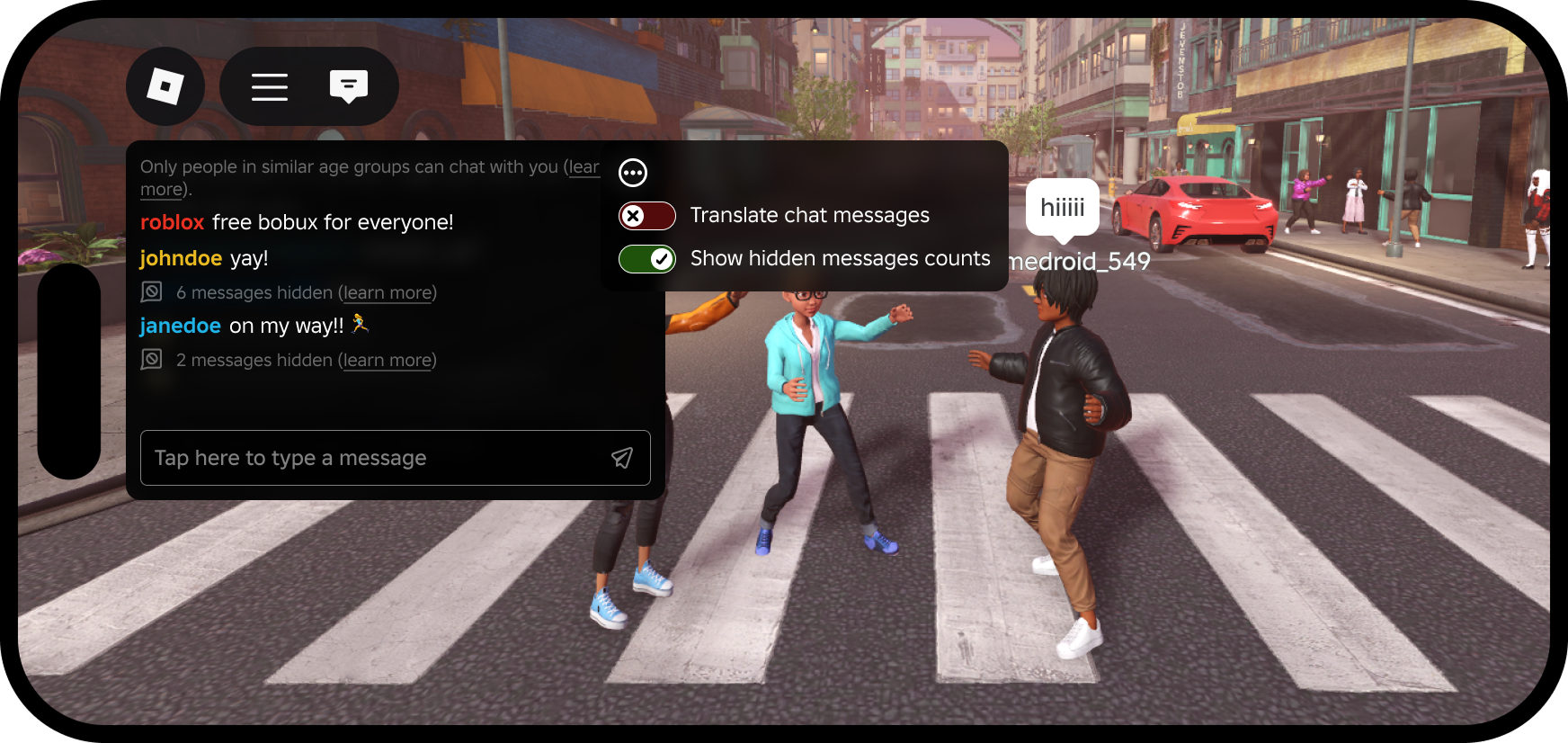
Roblox’s November TextChatService roadmap is about bringing more built-in chat tools to native chat windows—not announcing that every feature is already live for every player. The official developer update lists one-click emojis, voice typing in the newer TextChannelWindow, and translations plus AI-rephrases as November items. Some capabilities already exist in Roblox’s default chat experience, while support in the newer window is still rolling out.
That distinction matters: a roadmap date is not proof that a feature has reached every account, device, or experience. As of November 1, Roblox’s announcement describes planned November availability and says the team will share monthly updates as features land.

What Roblox has announced for November
-
One-click emojis: Roblox lists emoji sending as a November addition to the default window, with support in
TextChannelWindowplanned eventually. -
Voice typing: Voice typing already exists in the default window. The roadmap says it is coming to the input bar in
TextChannelWindow. - Translations and AI-rephrases: These are already available in the default window; Roblox lists them as coming to the newer window in November.
- Display-name styling: Roblox also said display-name colors and gradients would be customizable in November, while display names will continue to show for identification and reporting.
The safest reading is that Roblox is working toward feature parity across chat surfaces. It is not accurate to treat every item as a confirmed, universally completed launch simply because November has begun.

Why the default window and TextChannelWindow matter
The default chat window is Roblox’s standard in-experience interface. TextChannelWindow is a newer native window that creators can place inside their own UI and point at a particular TextChannel. The goal is to give developers more flexibility over where chat appears while Roblox handles message delivery, rendering, filtering, and relevant safety behavior.
That architecture means feature availability can differ by window. A player may already have voice typing or translation in the default chat interface but not see the same control in a custom-positioned native window yet. If a feature is missing, first check which chat window the experience uses rather than assuming the feature has been cancelled or that your account is broken.

What players should check first
- Open the experience’s normal chat window and look for the feature there before judging a separate chat panel.
- Update Roblox and restart the experience if a new control is not visible. Availability may vary while a rollout is in progress.
- For voice typing, check device microphone permissions and supported input settings. Voice typing is not the same thing as live voice chat.
- For translations or AI-rephrases, read the displayed message in context. These tools are intended to make communication easier, but players should still make sure a rephrased message reflects what they meant.
- If an experience uses a custom chat interface, check the developer’s update notes; the experience may need to adopt the relevant native window features.

What Roblox creators should do now
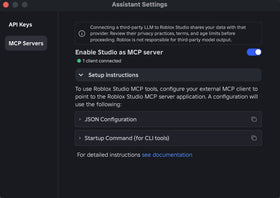
Creators who rely on custom chat should test the platform-integrated system in a test place before enabling it in a live experience. Roblox says developers can opt in by selecting TextChatService in Studio and setting PlatformIntegratedChat to Enabled. The setting can be changed back to Disabled during the current testing period.
There is a larger migration deadline behind the November features: Roblox says platform-integrated chat will be required for all games starting in May 2027. With the update enabled, message content is no longer accessible to custom scripts in the same way, and creators should move chat UI and commands to supported native systems such as TextChannelWindow, TextChatCommand, and Quick Words where appropriate.
Before switching a production game, audit custom chat panels, radios, trading chat, admin commands, role prefixes, and any free-text feature that could let players hold a conversation outside TextChatService. Roblox’s announcement warns that player-to-player communication must use TextChatService, while non-chat text surfaces such as signs or boards need safeguards such as a one-minute submission rate limit.
Why the update matters beyond emojis
Emoji buttons are the most visible change for players, but the broader shift is about consistent behavior and safety tools across experiences. Native chat can make features such as filtering, reporting, muting, translation, and moderation work more consistently. The trade-off for developers is that older custom interfaces may lose access to message text or APIs they used for bespoke chat behavior.
That makes the November roadmap both a usability update and a migration signal. Players should look for features to appear progressively; creators should use the official documentation and test place to confirm what works for their particular chat setup.
Frequently asked questions
Are Roblox TextChatService emojis live for everyone?
Roblox’s official roadmap lists emojis for November 2026, but that is not confirmation that every account, device, and experience already has the feature. Check the official announcement for the latest rollout status.
Is voice typing the same as Roblox voice chat?
No. Voice typing lets a player speak and turn that speech into a text message. Voice chat is live audio communication.
Are AI-rephrases and translations new in November?
Not entirely. Roblox lists translations and AI-rephrases as coming to the newer TextChannelWindow in November; the roadmap says they already exist in the default window.
When does platform-integrated chat become required?
Roblox’s Creator Hub says platform-integrated chat will be required for all games starting in May 2027. Developers should test and plan their migration ahead of that deadline.
Official sources and next steps
- Roblox Developer Forum: Important TextChatService Updates — November roadmap and creator guidance.
- Roblox Creator Hub: Platform-integrated chat — setup instructions and migration details.
- Roblox: RDC 2026 announcements — background on voice typing and communication features.
Reporting note: This article distinguishes announced roadmap timing from confirmed universal availability. Check Roblox’s official updates for changes after publication.