Updated November 1, 2026 | By Shivam Das
Roblox is heading into November with a busy set of changes for creators: a native orthographic camera in Studio beta, AI-assisted scene and character workflows, live-server inspection, a device-trust system for game security, and a full launch for custom terrain materials. These are separate releases, tests and rollout changes—not one giant platform overhaul. The difference matters when deciding what is ready for a live experience.
Quick answer: The biggest creator updates are Orthographic Camera, Scene Generation, Prompt-to-Avatar, the Device Trust API and Custom Terrain Materials. Several remain limited to Studio or supported devices. Roblox also temporarily disabled new terrain memory and performance optimizations in live experiences after an iOS crash was found, even though custom terrain materials remain available.
The biggest Roblox Studio changes creators should know
Orthographic Camera opens a more direct route to 2D and isometric games
Roblox announced an Orthographic Camera beta for Studio on October 30. Unlike a conventional perspective camera, orthographic projection keeps objects the same apparent size as their distance changes. That makes it a natural fit for side-scrollers, isometric maps, top-down strategy games, puzzle experiences and minimaps.
Creators can enable the beta through File > Beta Features, select the Camera under Workspace, and change ProjectionType to Orthographic. OrthographicSize controls the visible area, while OrthographicMode offers Vertical, Horizontal, Diagonal and MaxAxis choices. Perspective remains the default, so existing projects do not switch automatically.
The major limitation: Roblox says the beta is Studio-only for now. Published experiences cannot yet use orthographic cameras. The announcement also lists unfinished behavior involving sun shadows, near-plane clipping, reflections, ViewportFrames and VR. Treat it as a prototyping tool, not a production-ready player feature. Read our Roblox Orthographic Camera beta guide.
Live-server inspection gives teams a better debugging view
A separate Studio beta adds a read-only Server view during Team Test. Developers can inspect the live server viewport and Data Model, including the instance tree, properties, 3D world and server scripts, with breakpoint debugging. Enable it through File > Beta Features > Server Inspection.
This is useful because multiplayer bugs are not always visible from a client perspective. Teams can compare what the server actually holds against what a player sees. Since the view is read-only and remains a beta, it should complement—not replace—normal testing and server-side logging.
Scene Generation aims to shorten the first prototype
Roblox's Scene Generation beta is designed to help creators prototype editable scenes from prompts and images. The official weekly recap describes generated models, textures and terrain, with creators able to use the Assistant command /generate_scene or the Generate > Scene workflow.
The practical value is speed at the earliest stage: a creator can test a layout or visual direction before assembling every object by hand. But generated content still needs human review. Scale, collision, lighting, performance, asset consistency and gameplay remain the developer's responsibility. A fast first draft is not a finished level. See our Roblox Scene Generation beta explainer.
Prompt-to-Avatar turns written descriptions into game-character models
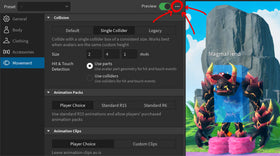
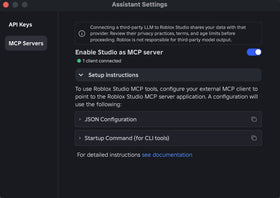
Prompt-to-Avatar entered Studio beta at the end of October. The workflow lets a developer describe a character, refine a 2D concept, and build a Roblox-ready 3D model through Avatar Setup. Roblox says the feature is also accessible through Assistant and Studio MCP.
The beta supports R15 and Advanced R15 rigs, with options for built-in clothing or a modesty layer and for static or dynamic heads. Roblox says a 3D build generally takes about three to six minutes, with dynamic-head builds potentially taking longer. Accessories are not generated in this beta, even if they appear in the concept image; Roblox says accessory generation is planned for a later production release.
This is a creator tool, not a general player-facing avatar generator. It could make character prototyping more accessible to smaller teams, but creators still need to check anatomy, style consistency, rig behavior, animation and whether the character fits the game. Read our Prompt-to-Avatar beta guide.
Roblox security: what the Device Trust API really checks

The Device Trust API gives developers a signal about the device a player is using. Roblox describes checks for signs that a device is physical rather than an emulator, that the operating system has not been tampered with, and that the Roblox app has not been modified. The result is a device trust level—not a verdict about a person's character or proof that the account owner is cheating.
The current Creator Hub documentation lists five states: Pending, Unknown, None, Standard and Full. Supported platforms include Android, Chromebook and Meta Quest. Web browsers cannot be verified and report None; iOS, macOS, Windows, Xbox and PlayStation are listed as coming soon and report Unknown until supported. Hardware capabilities also affect whether a legitimate device can reach a higher trust level.
Unknown does not mean confirmed cheating. It means Roblox cannot currently determine the device's trust level. Some older or unsupported devices may also fail checks despite being used by legitimate players. Roblox leaves the policy decision to each developer, who might restrict high-risk features such as trading or ranked matchmaking rather than block every player from joining.
Roblox also warns that device trust is only one layer of protection. It does not replace server-side validation for currency, inventory, positions, scores or hit registration. A game that trusts client-reported values can remain vulnerable even when a device receives a strong trust result. Developers should read the trust level on the server and avoid treating it as a universal anti-cheat switch.
Custom Terrain Materials are live, but the performance rollout needs a caveat

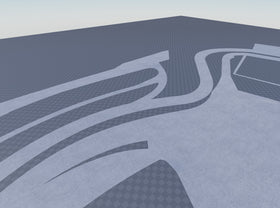
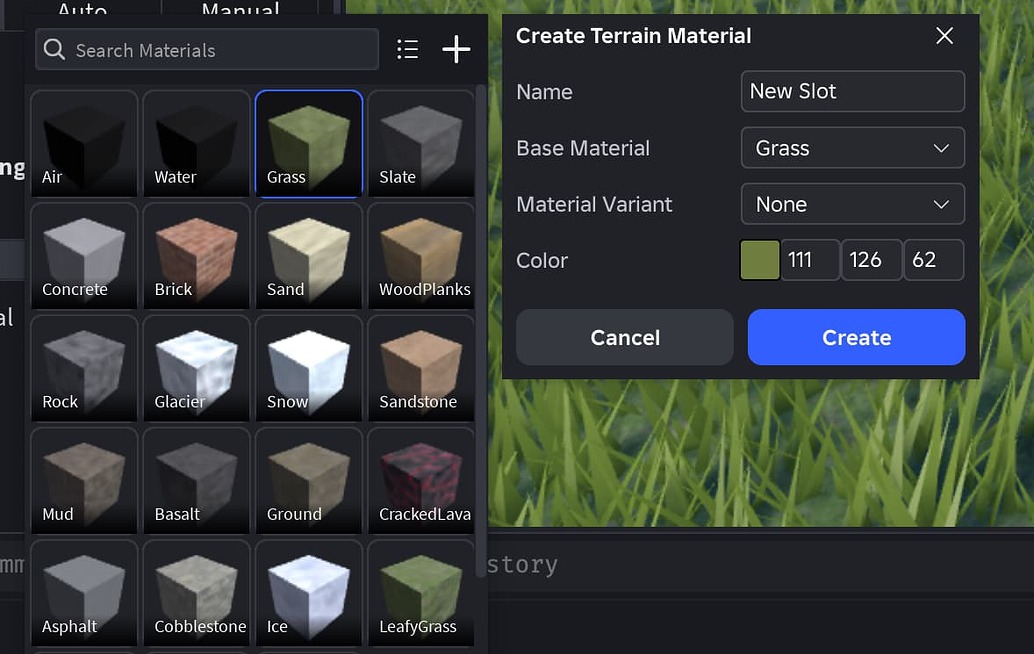
Custom Terrain Materials have exited Early Access. Roblox says creators can define up to 62 paintable materials, including custom colors and optional MaterialVariants, and publish experiences that use them. The feature is enabled per place by setting Workspace > Expanded Terrain to Enabled and reopening the place.
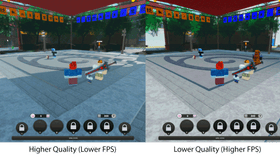
There is a significant qualification for performance claims. Roblox initially launched terrain rendering, storage and delivery improvements alongside custom materials, but an October 24 update said a crash affecting some iOS players had led the company to temporarily turn off the new memory and performance optimizations in live experiences while a fix rolled out. Roblox said custom terrain materials and publishing larger terrain remained available, and Studio and Team Create were not affected by that temporary change.
Creators should not assume every published game is currently receiving the full live-player performance benefit simply because custom materials reached full launch. Check Roblox's latest official announcement before making performance comparisons or changing a production place. Roblox's launch post cited a benchmark with up to 90% lower CPU memory overhead and 45% lower meshing latency, but those figures describe the reported benchmark—not a guaranteed improvement for every game or device. The company also clarified that the editable material count is 62, not 64, because Air and Water are read-only.
Other creator changes worth tracking
- Avatar item promotion: Creators can generate off-platform share links for avatar items and bundles, with click, unique-clicker, purchase, spend and conversion analytics.
- Input Action Manager: The visual editor for cross-platform control mappings reached full release.
- Private-server teleports: TeleportAsync can now target reserved and VIP servers through the relevant TeleportOptions fields.
- Shapecasts: Roblox announced margins, size gradients and overrides, with the announcement reporting performance improvements of up to 4.1 times for existing casts.
- Web Play: Early access lets creators test their own games in a browser, helping them check experiences beyond the Studio client.
- UIShadow and Package Overrides: Further Studio beta and usability work is part of the wider creator-tool rollout.
What creators should do first
- Use a separate test place for Orthographic Camera, Scene Generation and Prompt-to-Avatar while the features remain in beta.
- Check supported platforms and player impact before using Device Trust to gate trading, chat or competitive matchmaking.
- Review the Expanded Terrain setting on each place where custom materials are needed; do not assume the live performance optimization is active on every client.
- Test generated characters and scenes for rigging, collisions, asset quality, lighting and performance before publishing.
- Follow official Roblox announcements for rollout changes, known issues and documentation updates.
Frequently asked questions
What are the biggest Roblox creator updates around November 1, 2026?
The main changes include the Orthographic Camera beta, live-server inspection during Team Test, Scene Generation, Prompt-to-Avatar, the Device Trust API and the full launch of Custom Terrain Materials.
Can Roblox games use Orthographic Camera in live experiences?
Not yet. Roblox says the current Orthographic Camera beta is Studio-only, and published experiences cannot use it during this testing phase.
Is Prompt-to-Avatar available to regular Roblox players?
No. Roblox announced it as a creator feature in Studio beta, accessible through Avatar Setup, Assistant and Studio MCP workflows.
Does Prompt-to-Avatar generate accessories?
No. Roblox says accessories are not generated in the current beta, even if they appear in the 2D concept image. Accessory generation is planned for a later production release.
Does Device Trust prove that a Roblox player is cheating?
No. It describes how much the device can be trusted based on available signals. It does not establish that the player or account owner is cheating, and unsupported devices can return Unknown.
Which platforms currently support Roblox Device Trust?
The current Creator Hub documentation lists Android, Chromebook and Meta Quest as supported. Web browsers report None because they cannot be verified, while iOS, macOS, Windows, Xbox and PlayStation are listed as coming soon and report Unknown.
Are Custom Terrain Materials available in published Roblox games?
Yes. Roblox says up to 62 custom terrain materials can be used in published experiences when Expanded Terrain is enabled for the place.
Are Roblox's new terrain performance optimizations active for every live player?
Do not assume so. Roblox temporarily disabled the new memory and performance optimizations in live experiences after an iOS crash was discovered, while keeping custom materials available. Check the latest official update for the current rollout status.
Official sources
- Roblox Developer Forum: Weekly Recap, October 26–30, 2026
- Roblox: Orthographic Camera Studio Beta
- Roblox: Prompt-to-Avatar Studio Beta
- Roblox: Device Trust API announcement
- Roblox Creator Hub: Device Trust documentation
- Roblox: Custom Terrain Materials full launch and rollout updates
- Roblox Creator Hub: Custom Terrain Materials
Reporting note: This roundup reflects official Roblox announcements and documentation checked for November 1, 2026. Beta availability, supported platforms and rollout status can change.
Author: Shivam Das