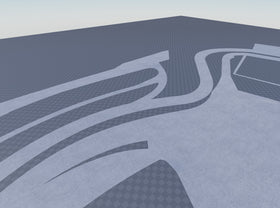
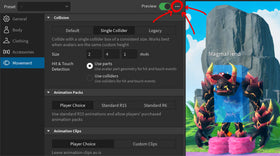
Updated November 1, 2026. Roblox is testing a camera mode that could make a meaningful difference for developers building side-scrollers, isometric worlds, top-down strategy games and puzzle experiences. The new Orthographic Camera beta gives Roblox Studio a projection type in which objects keep the same apparent size regardless of their distance from the camera.
That sounds like a small rendering change. For creators who have been faking a 2D or isometric camera with an extremely narrow field of view and a camera placed far away, it is more significant: Roblox is exposing orthographic projection as a native camera option, with dedicated controls for framing and view scaling. There is one major catch, though. During this beta, orthographic cameras work in Studio only; Roblox says published experiences cannot use them yet.
What is Roblox’s Orthographic Camera beta?
A conventional perspective camera makes distant objects appear smaller. That is how human vision and most 3D games create a sense of depth. An orthographic camera removes that perspective scaling: parallel lines remain parallel, and an object does not shrink simply because it is farther away.
For a 2D platform game, this can make character and environment proportions easier to control. For an isometric game, it helps preserve the clean, composed look of a fixed-angle world. For a top-down tactics game, it can make the visible play area more predictable. The feature is not a complete 2D game framework, but it gives creators a camera foundation that fits those styles more naturally.
Roblox announced the Studio beta on October 30, 2026, describing it as part of a broader effort to make 2D games a first-class format on the platform. The announcement specifically calls out side-scrollers, isometric builds, top-down strategy games, puzzle games and minimaps as potential use cases.
When can Roblox creators use it?
The beta is rolling out through Roblox Studio’s Beta Features menu. It is not yet a player-facing feature that developers can switch on in a live, published experience. Roblox also warns that the API may change as the team works through the beta.
- Announced: October 30, 2026.
- Availability: Roblox Studio beta, rolling out through File > Beta Features.
- Published games: Not supported during the beta.
- Existing projects: Unchanged by default because the camera continues to use Perspective unless a creator opts into Orthographic.
This distinction should shape development plans. Creators can test camera behavior, prototype a level and assess the new properties in Studio, but should not promise players that a live game already supports the new projection mode.
How to enable Orthographic Camera in Roblox Studio
- Open Roblox Studio and select File from the top menu.
- Open Beta Features and enable Orthographic Camera.
- Restart Studio if the application asks you to.
- In Explorer, select the Camera under Workspace.
- In the Properties window, change
ProjectionTypefromPerspectivetoOrthographic. - Adjust
OrthographicSizeto frame the amount of the world you want visible.
The official announcement describes this as a change to the Camera object creators already use. It does not require replacing the entire camera system just to test orthographic projection.
The four camera properties developers should understand
ProjectionType: choose perspective or orthographic
ProjectionType switches between the familiar perspective camera and the new orthographic projection. Perspective remains the default. When Orthographic is selected, the camera uses orthographic settings rather than the normal field-of-view behavior.
OrthographicSize: control the visible area
OrthographicSize controls how much of the world is visible. Roblox gives it a default value of 35 and says the property accepts values from 0.001 to 100,000. Smaller values zoom in; larger values zoom out. Moving the camera closer or farther away does not change apparent object size in the same way it does with perspective projection, so creators should use this property to change framing.
OrthographicMode: decide which screen dimension is fixed
OrthographicMode determines which screen dimension the size value measures. Roblox lists four modes:
- Vertical: fixes the visible height. This is the default and a practical starting point for many games.
- Horizontal: fixes the visible width. It can suit side-scrollers where the distance visible ahead of the player matters most.
- Diagonal: keeps the amount of world measured along the screen diagonal consistent.
- MaxAxis: uses the longer screen dimension as the size reference, helping limit how much of a map is visible on differently shaped displays.
The mode matters for multi-device design. A camera setup that looks balanced on a wide desktop monitor may reveal a different amount of the level on a phone. Choosing the dimension deliberately is more reliable than trying to correct every screen shape with ad hoc camera movement.
ViewStretch: introduce controlled distortion
ViewStretch stretches the view along the axis not already fixed by the field-of-view or orthographic mode. Roblox lists a supported range of 0.5 to 2.0, with 1 as the default. It works with both perspective and orthographic cameras, so it is not an orthographic-only feature. The team points to effects such as a distorted or underwater view as possible uses.
Why this is useful for 2D, isometric and top-down games
Side-scrollers
In a side-scroller, a creator often wants the player character to remain visually consistent while the world scrolls around them. Horizontal orthographic framing can help keep a predictable amount of level visible ahead of the player. It does not automatically build a 2D game, but it can remove one camera problem from the development process.
Isometric worlds
Isometric games depend on a carefully controlled view of depth and geometry. Perspective scaling can make objects at the back of a scene appear smaller, changing the visual balance of a carefully arranged map. Orthographic projection keeps parallel lines parallel and preserves apparent size, which can make the scene easier to compose.
Top-down strategy and puzzle games
For a strategy game, consistent scale can help players read the board and compare objects across the map. Puzzle designers may also benefit when the camera should present a stable layout rather than emphasize distance. The choice of OrthographicMode can help determine how much of that layout remains visible across screen shapes.
Minimaps and interface previews
Orthographic projection is also a natural fit for map-like views because it avoids perspective convergence. However, Roblox lists an important limitation: cameras inside ViewportFrames still render in perspective during the beta. That means creators should not assume an orthographic minimap inside a ViewportFrame is supported yet.
Known limitations: what Roblox has not finished
The beta is useful for experimentation, but Roblox’s own announcement lists several issues that developers should account for before making production decisions.
- Sun shadows: shadows are not yet correct with orthographic cameras.
- Near clipping plane: geometry close to or behind the near plane can be cut away. Roblox recommends moving the camera farther back; under orthographic projection, that movement does not change apparent object size.
- ViewportFrames: cameras inside ViewportFrames continue to render in perspective, so orthographic minimaps in those frames are not supported yet.
- Specular highlights and reflections: they may look incorrect because they are calculated as if the view were perspective.
- Virtual reality: orthographic cameras are not supported in VR.
- Zoom to fit: focusing a selection currently moves the Studio camera instead of adjusting OrthographicSize, so the selection may not be framed as expected.
These are not minor footnotes for every project. A game built around dramatic sunlight, reflective surfaces, VR support or a ViewportFrame-based map may need a different plan until Roblox addresses the relevant issue.
Is Orthographic Camera replacing the old narrow-field-of-view workaround?
Roblox says the closest previous workaround was to reduce FieldOfView to around one degree and move the camera a long way from the scene. That approach could approximate orthographic framing, but it brought trade-offs: the camera had to sit unusually far away, and the setup could create z-fighting and precision problems or cause content to be culled on lower-end devices.
The new camera mode gives creators a direct projection setting and a dedicated size property instead. It also makes screen-to-world conversion work automatically: Roblox says Camera:ScreenPointToRay() and Mouse.Hit adjust for orthographic projection, so common clicking, dragging and object-placement workflows do not require custom conversion math.
For a new prototype, testing the native mode is more straightforward than building another workaround. For an existing project, creators should compare the old setup and the beta in a controlled test place before changing a production camera.
A practical test plan for creators
- Duplicate or create a test place. Keep the live experience untouched while the beta is changing.
- Test the same scene in both modes. Compare perspective and orthographic views using identical camera positions and objects.
- Try each OrthographicMode. Check how Vertical, Horizontal, Diagonal and MaxAxis affect the visible play area on different viewport sizes.
- Check interaction math. Test selection, dragging and object placement with ScreenPointToRay and Mouse.Hit.
- Inspect lighting and clipping. Look for incorrect sun shadows, reflections and near-plane cutaways.
- Test on the target aspect ratios. A design intended for phones, tablets and desktop screens should be checked in each layout.
- Wait for published-game support. Treat the beta as a Studio prototyping tool until Roblox announces that experiences can use it live.
What could this mean for Roblox game development?
The most important effect may be the range of game ideas that become easier to prototype. Roblox has historically been associated with 3D worlds viewed through a perspective camera. A native orthographic option lowers one technical barrier for creators who want to build a more controlled 2D or isometric experience.
That does not mean a wave of finished 2D games will appear overnight. Camera projection is only one part of a game: creators still need responsive controls, animation, level design, readable UI, collision behavior and performance testing. The beta also cannot yet be used in published experiences. The real measure of its impact will be how quickly Roblox closes those gaps and how well the camera behaves across devices.
Still, the direction is notable. Roblox has publicly described 2D games as an area it wants to support more fully, and the Orthographic Camera is a concrete Studio-level step in that direction. For developers who have been waiting to build a side-scroller, fixed-angle puzzle game or isometric world without relying on camera tricks, this is a beta worth testing.
Frequently asked questions
What is the Roblox Orthographic Camera beta?
It is a Roblox Studio beta camera projection that keeps objects the same apparent size regardless of their distance from the camera. It is designed to help creators build 2D, isometric, top-down and puzzle-style games.
How do I enable Orthographic Camera in Roblox Studio?
Go to File > Beta Features, enable Orthographic Camera, restart Studio if prompted, select Workspace’s Camera, and change its ProjectionType property to Orthographic.
Can published Roblox games use Orthographic Camera now?
No. Roblox says orthographic cameras are Studio-only during the beta. Published experiences cannot use them yet.
What does OrthographicSize do?
OrthographicSize controls how much of the world is visible. Smaller values zoom in and larger values zoom out. Roblox lists 35 as the default value.
What is the difference between OrthographicMode and OrthographicSize?
OrthographicSize sets the extent of the visible world in studs. OrthographicMode chooses which screen dimension that extent applies to: Vertical, Horizontal, Diagonal or MaxAxis.
Does Orthographic Camera change existing Roblox games?
No. Perspective remains the default ProjectionType. Existing games do not change unless a creator switches the camera to Orthographic.
Does the beta support ViewportFrame minimaps?
Not yet. Roblox says cameras inside ViewportFrames still render in perspective during the beta, so orthographic minimaps in a ViewportFrame are not supported.
Does Orthographic Camera support VR?
No. Roblox lists VR as unsupported for orthographic cameras in the current beta.
Is Orthographic Camera better than using a very low FieldOfView?
For a project that needs true orthographic framing, the native mode is the more direct approach. Roblox says the narrow-FieldOfView workaround can introduce z-fighting, precision problems and content-culling issues because it requires placing the camera far away.
Official sources and further reading
- Roblox Developer Forum: Studio Beta — Build 2D, Isometric, and Top-Down Games With Orthographic Camera — the announcement, setup steps, property descriptions and known issues.
- Roblox Creator Hub: Camera — camera properties including OrthographicSize, OrthographicMode, ProjectionType and ViewStretch.
- Roblox Creator Hub: ProjectionType — official descriptions of Perspective and Orthographic.
- Roblox Creator Hub: OrthographicMode — official definitions for Vertical, Horizontal, Diagonal and MaxAxis.
- Roblox: RDC 2026 — The World Needs More Play — broader context for Roblox’s plans around 2D games and creator tools.
By Shivam Das