Updated November 1, 2026. Roblox is expanding its Lua asset-creation workflow with a Studio Beta feature that lets developers turn text-to-speech settings into reusable audio assets. The change adds support for AudioTextToSpeech objects in AssetService:CreateAssetAsync(), allowing creators to generate voice lines while building an experience instead of relying only on text-to-speech generation during a live play session.
For developers making NPC dialogue, tutorial prompts, accessibility cues, or repeated announcements, the practical benefit is straightforward: prepare a line once in Studio, create an audio asset, and reuse that asset when the game needs it. This does not remove runtime TTS. It adds an asset-creation path for voice content creators already know they will need.
Roblox staff member DinoCoderMom announced the beta on the Developer Forum on October 22, 2026. Roblox says generated voice assets can play instantly in-game without hitting the text-to-speech API's play-time rate limits.
What Roblox announced about Lua text-to-speech asset creation
The key API change is that AssetService:CreateAssetAsync() now accepts an AudioTextToSpeech object as its input when the requested asset type is Enum.AssetType.Audio. The call creates a speech audio asset from the object's voice settings and text. Roblox's announcement says the method signature has not changed for developers already participating in the Beta; the new capability is support for the TTS object as an input.
-
New input: an
AudioTextToSpeechobject. -
Asset type:
Enum.AssetType.Audio. -
Creation method:
AssetService:CreateAssetAsync(). - Options: no options are currently supported; pass an empty table.
- Intended benefit: create reusable voice assets in Studio for instant playback, without runtime TTS generation for those prepared lines.
How to create a reusable TTS audio asset in Studio
Start with a short line that is likely to be reused, such as a tutorial instruction, an NPC greeting, or a repeated UI announcement. The announcement says the asset service reads the TTS object's text, voice ID, pitch, and speed fields.
- Open Roblox Studio and make sure the relevant Lua asset-creation Beta access is enabled for your account.
- Get the
AssetServiceservice in your script. - Create an
AudioTextToSpeechinstance. - Set its
Text,VoiceId,Pitch, andSpeedproperties. - Call
CreateAssetAsync()with the TTS object,Enum.AssetType.Audio, and an empty options table. - Check the returned creation result and asset ID before adding the ID to your project's content catalog.
local AssetService = game:GetService("AssetService")

local speech = Instance.new("AudioTextToSpeech")
speech.Text = "Welcome to the training area. Follow the arrows to begin."
speech.VoiceId = "3"
speech.Pitch = 0
speech.Speed = 1

local result, assetId = AssetService:CreateAssetAsync(
    speech,
    Enum.AssetType.Audio,
    {}
)

if result == Enum.CreateAssetResult.Success then
    print("Created TTS audio asset:", assetId)
else
    warn("TTS asset creation did not succeed:", result)
end
This example follows the API signature and fields in Roblox's announcement. Test the workflow in the Studio Beta environment available to your account, and handle failures in your tooling rather than assuming every request will succeed.
Which TTS settings can developers control?
Roblox's announcement says the asset service reads four fields from the AudioTextToSpeech object: text, voice ID, pitch, and speed. Other properties on the object are ignored for asset creation. The current API reference documents these settings and the available voice choices.
| Setting | Purpose | Documented detail |
|---|---|---|
Text |
The words spoken by the generated voice | Up to 300 characters per TTS request |
VoiceId |
The artificial voice style | Includes English, Hindi, Japanese, Spanish and other languages |
Pitch |
Changes pitch independently of speed | −12.0 to 12.0 semitones; default 0 |
Speed |
Controls how quickly speech is generated | 0.5 to 2.0; default 1 |
The Creator Hub lists Voice ID 3 as United States male voice 1 and Voice ID 4 as United States female voice 1. Hindi male and female voices are listed as IDs 601 and 602. Check the current Creator Hub documentation before building a large voice library, since voice availability and localization behavior are platform details that can evolve.
Why pre-generated voice assets can help Roblox games
More predictable dialogue playback
Repeated lines such as onboarding instructions, shopkeeper greetings, mission prompts, and round-start announcements are strong candidates for pre-generation. If a line is known before players join, creating an asset during development can reduce the work the live experience must do when that line is triggered.
Less runtime generation for fixed lines
Roblox's AudioTextToSpeech API has request throttling for runtime generation. A prepared audio asset gives developers another option for frequently repeated dialogue: create it ahead of time and play the asset rather than asking the runtime TTS service to generate the same line again.
A deliberate approach to localization
Roblox documents automatic localization for runtime text-to-speech across multiple supported languages, including English, Hindi, Spanish, French, German, Italian, Japanese, Korean, Portuguese, Arabic, and Mandarin Chinese. Developers should plan carefully when turning text into fixed assets: a pre-generated voice line is a specific audio asset, so teams may need separate assets for different languages or voice treatments if they want localized dialogue to sound natural.
Current limitations creators should know
The October 22 announcement makes clear that this is an early Beta capability, not a fully featured audio publishing manager. Roblox lists several limitations that affect how studios should organize generated files:
-
No custom asset names yet: generated assets use the format
TTS_Asset_1234567890, with the number representing the asset ID. - No descriptions: the ability to add descriptions has not been added.
- No creator ID selection: developers cannot specify the creator ID for uploaded assets through this feature yet.
- No extra options: the options table currently has no supported settings.
- Only selected TTS fields are read: text, voice ID, pitch, and speed are used; other properties are ignored by the asset service.
These limits make asset organization especially important. Keep a project-side mapping between each generated asset ID and its intended line, language, character, and context. Do not depend on the auto-generated asset name to explain what a clip says.

How this differs from ordinary runtime text-to-speech
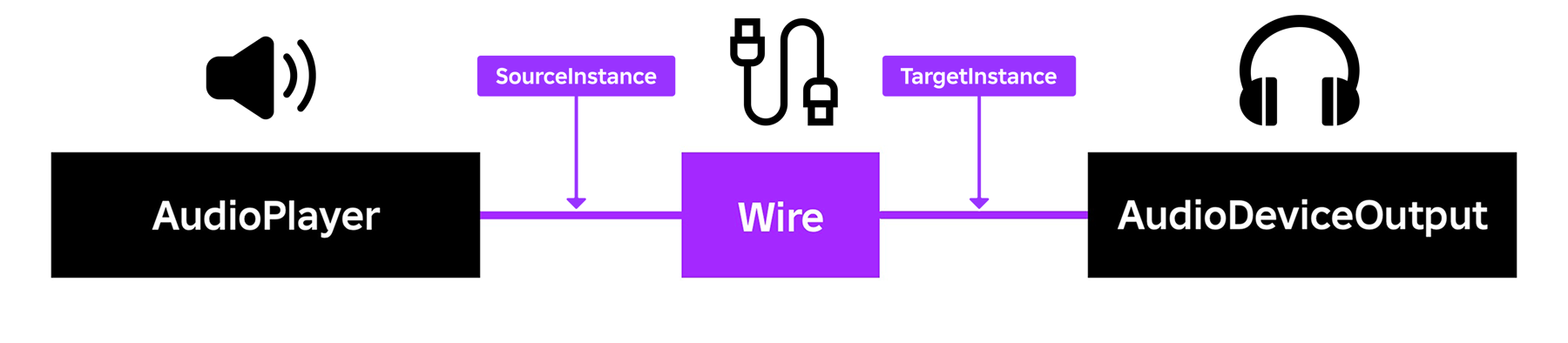
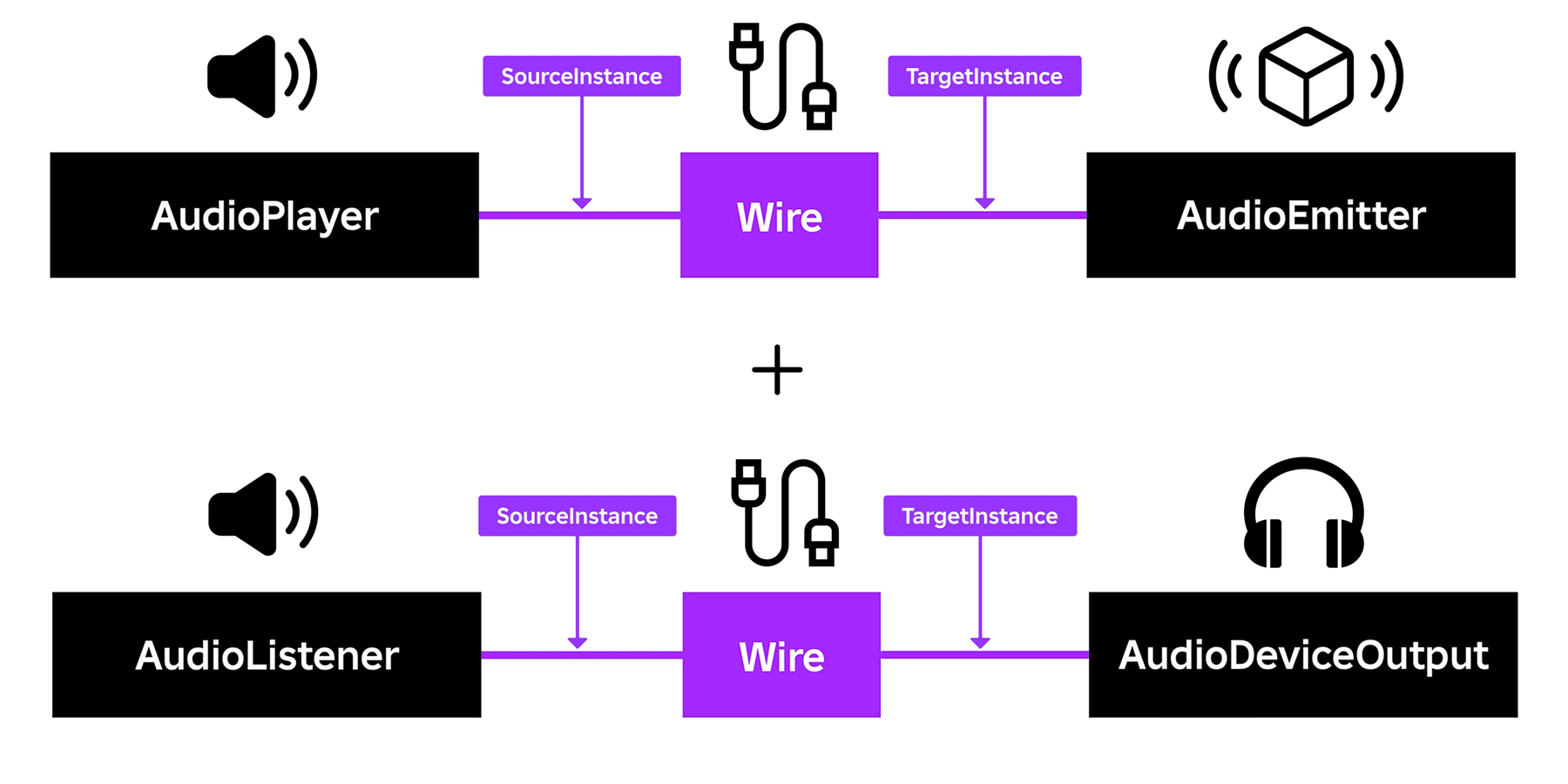
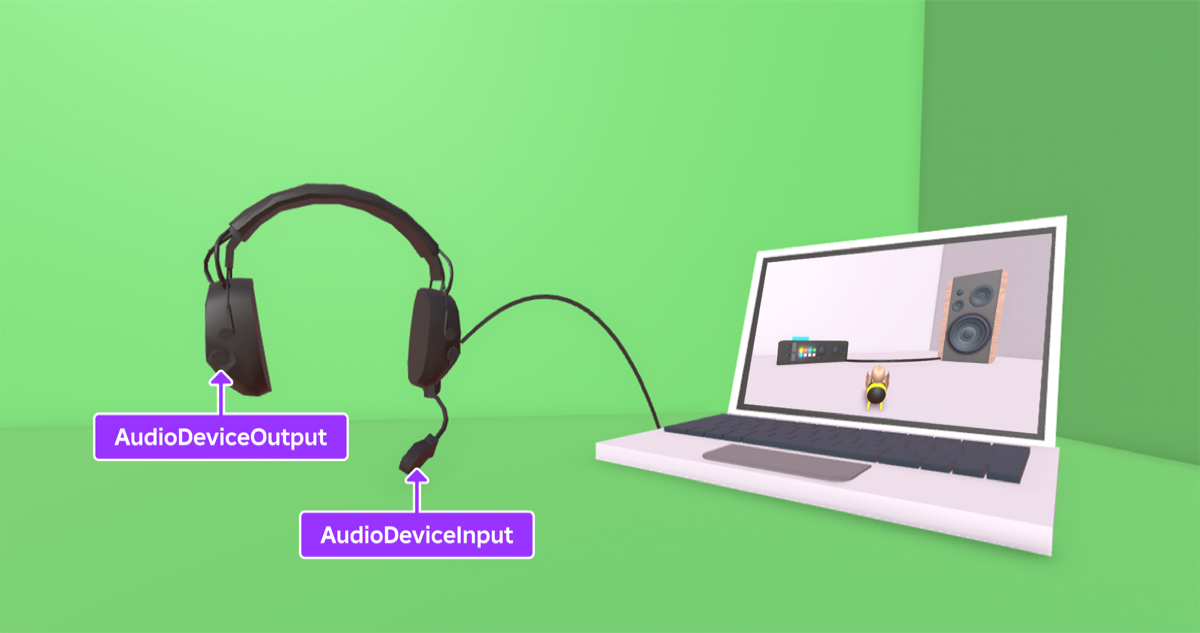
Roblox already supports the AudioTextToSpeech object for converting text into speech while an experience is running. The existing setup connects the speech generator to an output device for 2D audio, or routes it through an AudioEmitter and AudioListener for positional 3D audio. Developers can trigger speech when a player enters an area, interacts with an NPC, or completes an objective.
The new Beta adds a different step: it lets creators produce an audio asset from a configured TTS object during Studio development. These are complementary approaches:
- Use runtime TTS when spoken text changes dynamically, responds to player-specific information, or cannot be known in advance.
- Use generated audio assets when a line is fixed, repeated often, and suitable for preparing ahead of time.
A hybrid design may make the most sense. A game could use prepared assets for standard tutorial lines and NPC greetings, while retaining runtime TTS for player-specific or context-sensitive dialogue.
What developers should test before shipping
Before moving a large set of dialogue into generated assets, test a small batch. Listen for pronunciation, pacing, and whether the selected voice fits the character. Check how the clip behaves when triggered repeatedly, how it is routed in 2D or 3D audio, and whether the asset can be accessed by the intended experience and collaborators. Keep the original text and settings alongside the returned asset ID so a line can be regenerated consistently if it changes.
All text submitted to TTS must follow Roblox Community Standards and Terms of Use. Avoid deceptive impersonation or speech that violates platform rules. If dialogue changes often, consider whether a saved clip is the right choice: a fixed asset can become stale when game instructions, prices, or seasonal content change.
What this update means for Roblox creators
The important change is not simply that Roblox can speak text; runtime text-to-speech already exists. The new capability gives creators a Studio-side way to turn selected TTS lines into reusable audio assets. That can make fixed dialogue easier to prepare, reduce repeated runtime generation for those lines, and give teams a more deliberate way to manage voice content before an experience goes live.
For now, the Beta's missing naming, description, and creator-ID controls mean teams should keep their own asset catalog. The strongest early use cases are predictable lines that are reused frequently, not every sentence a game might generate. As Roblox expands the workflow, better asset organization will be important to a smoother path from generated voice line to shipped game content.
Frequently asked questions
What is Roblox Studio's new text-to-speech asset creation Beta?
It is a Studio Beta feature that lets AssetService:CreateAssetAsync() accept an AudioTextToSpeech object and create a reusable audio asset from its text and voice settings.
When did Roblox announce TTS asset creation in Lua?
Roblox staff announced the Studio Beta on the Developer Forum on October 22, 2026.
Which API creates the TTS audio asset?
Use AssetService:CreateAssetAsync() with the TTS object, Enum.AssetType.Audio, and an empty options table, following the current Roblox documentation.
Which AudioTextToSpeech properties are used?
The asset service reads Text, VoiceId, Pitch, and Speed. Roblox says other TTS object fields are ignored during this asset-creation operation.
Does this remove runtime text-to-speech?
No. The feature adds a way to create reusable audio assets in Studio. Runtime AudioTextToSpeech remains useful for dialogue that changes dynamically during gameplay.
Can developers name the generated audio assets?
Not through this Beta feature yet. Roblox says generated assets currently receive names in the format TTS_Asset_1234567890.
Can developers add descriptions or choose a creator ID?
Roblox's October 22 announcement says custom descriptions and the ability to specify a creator ID have not been added yet.
What is the maximum TTS text length?
The current Creator Hub API documentation lists a 300-character maximum for the AudioTextToSpeech.Text property.
Where can I read the official announcement?
Read Roblox's Studio Beta: Text-to-Speech Asset Creation Support in Lua announcement and the AudioTextToSpeech API reference.
Official sources and further reading
- Roblox Developer Forum: Studio Beta — Text-to-Speech Asset Creation Support in Lua — announcement, API signature, fields read by the asset service, and current Beta limitations.
- Roblox Creator Hub: AudioTextToSpeech — properties, voice IDs, limits, and runtime API behavior.
- Roblox Creator Hub: Audio Objects — how audio generators, emitters, listeners, output devices, and wires work together.
- Roblox Creator Hub: Add Text-to-Speech — implementation examples for 2D and 3D TTS experiences.
- Roblox Developer Forum Announcements — official creator and platform announcements.
By Shivam Das